> For the complete documentation index, see [llms.txt](https://docs.sandbox.com.vn/llms.txt). Markdown versions of documentation pages are available by appending `.md` to page URLs; this page is available as [Markdown](https://docs.sandbox.com.vn/8.-nhan-su/8.2-quan-ly-nhan-vien/8.2.5-quan-ly-nhan-vien-dang-nhap-nhieu-thiet-bi.md).
# 8.2.5 Quản lý nhân viên đăng nhập nhiều thiết bị
Đơn vị sau khi được duyệt bổ sung tổng số user và thiết bị được phép login, tiến hành cấu hình các tài khoản được phép đăng nhập trên nhiều thiết bị cho đơn vị của doanh nghiệp
*Đơn vị cần liên hệ Sandbox để được duyệt bổ sung số lượng thiết bị đăng nhập.*
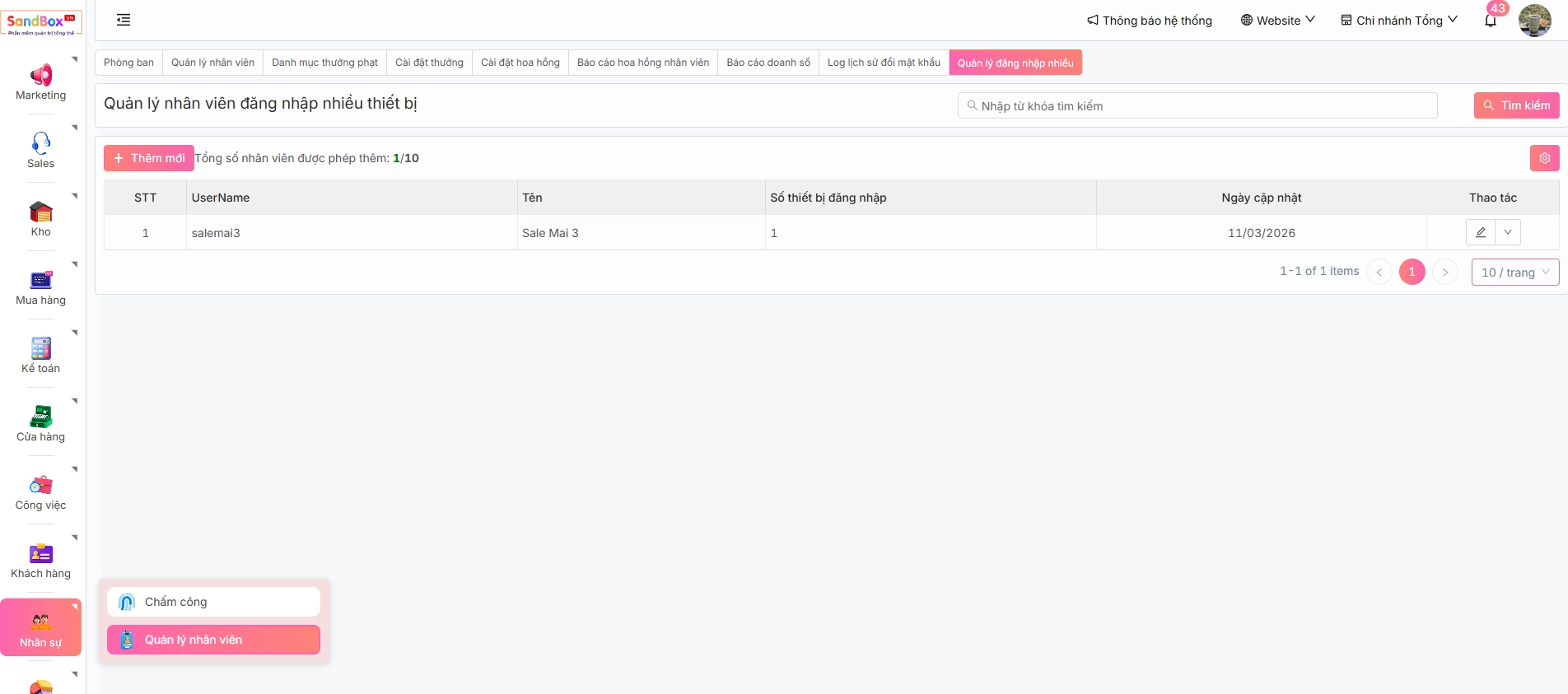
1. Sau khi đăng nhập thành công, tại thanh **Menu** chọn **Nhân sự -> Quản lý nhân viên -> tab Quản lý đăng nhập nhiều**
***Lưu ý trường:*** *Tổng số nhân viên được phép thêm: 1/10.*
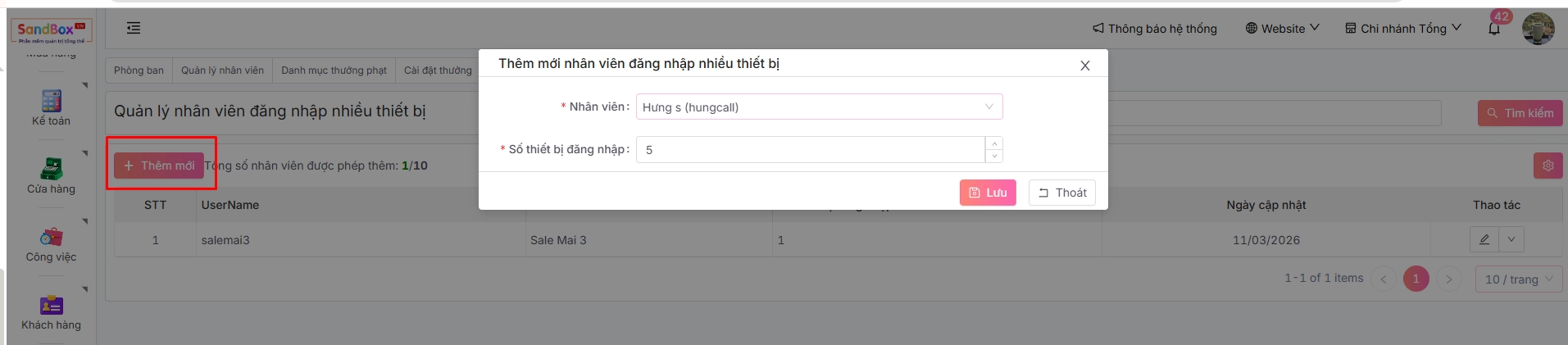
2. Anh/chị ấn để **Cấu hình số thiết bị được phép đăng nhập cho từng user.**
***Lưu ý:*** *Mặc định mỗi tài khoản được đăng nhập trên 1 thiết bị. Khi cấu hình thêm 5 thiết bị đăng nhập, tổng số thiết bị tài khoản đó có thể đăng nhập là 6 thiết bị.*
 để **Cấu hình số thiết bị được phép đăng nhập cho từng user.**