> For the complete documentation index, see [llms.txt](https://docs.sandbox.com.vn/llms.txt). Markdown versions of documentation pages are available by appending `.md` to page URLs; this page is available as [Markdown](https://docs.sandbox.com.vn/8.-nhan-su/8.2-quan-ly-nhan-vien/8.2.4-bao-cao-doanh-so.md).
# 8.2.4 Báo cáo doanh số
Báo cáo doanh số là một công cụ quan trọng để theo dõi và tính toán doanh số mà mỗi nhân viên mang về được trong một khoảng thời gian cụ thể.
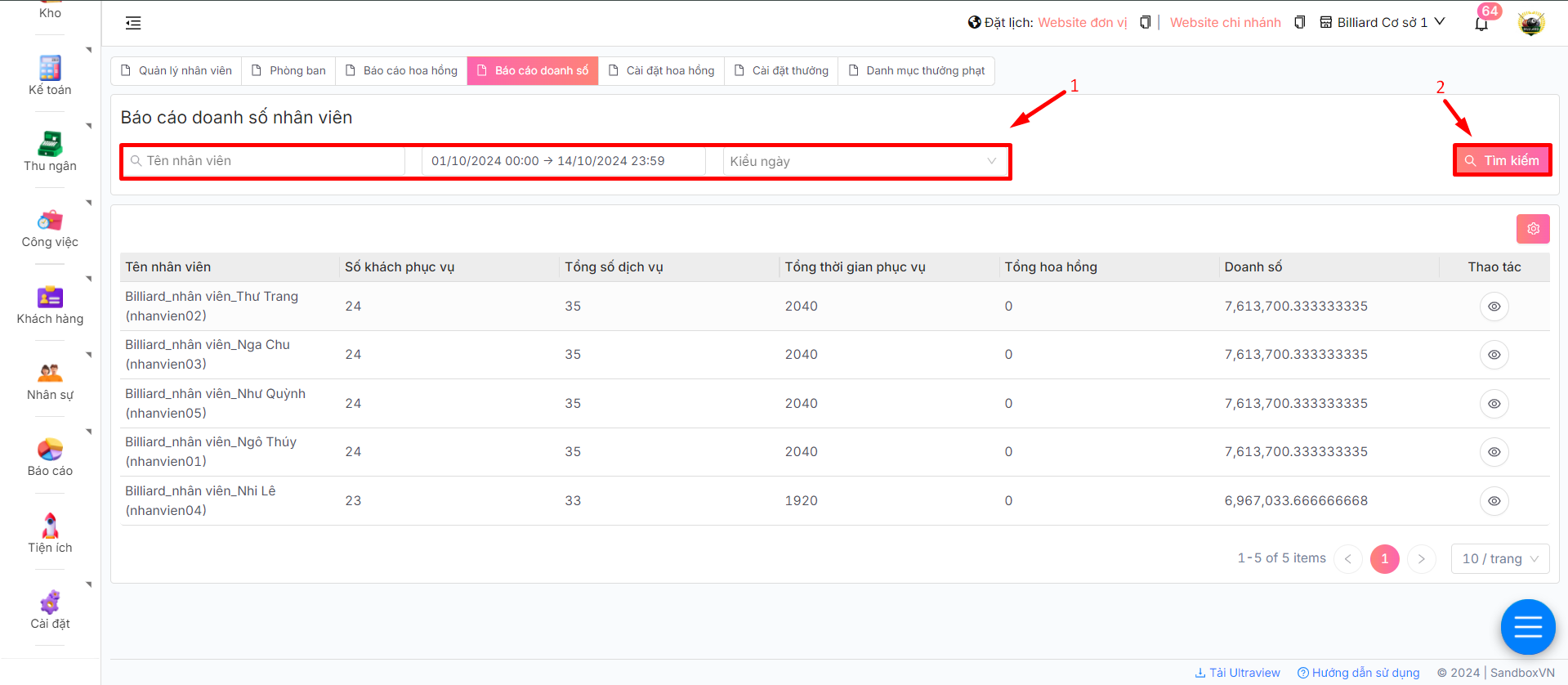
1. Sau khi đăng nhập thành công, chọn **Nhân sự** -> **Quản lý nhân viên** -> Chọn tab **Báo cáo doanh số**
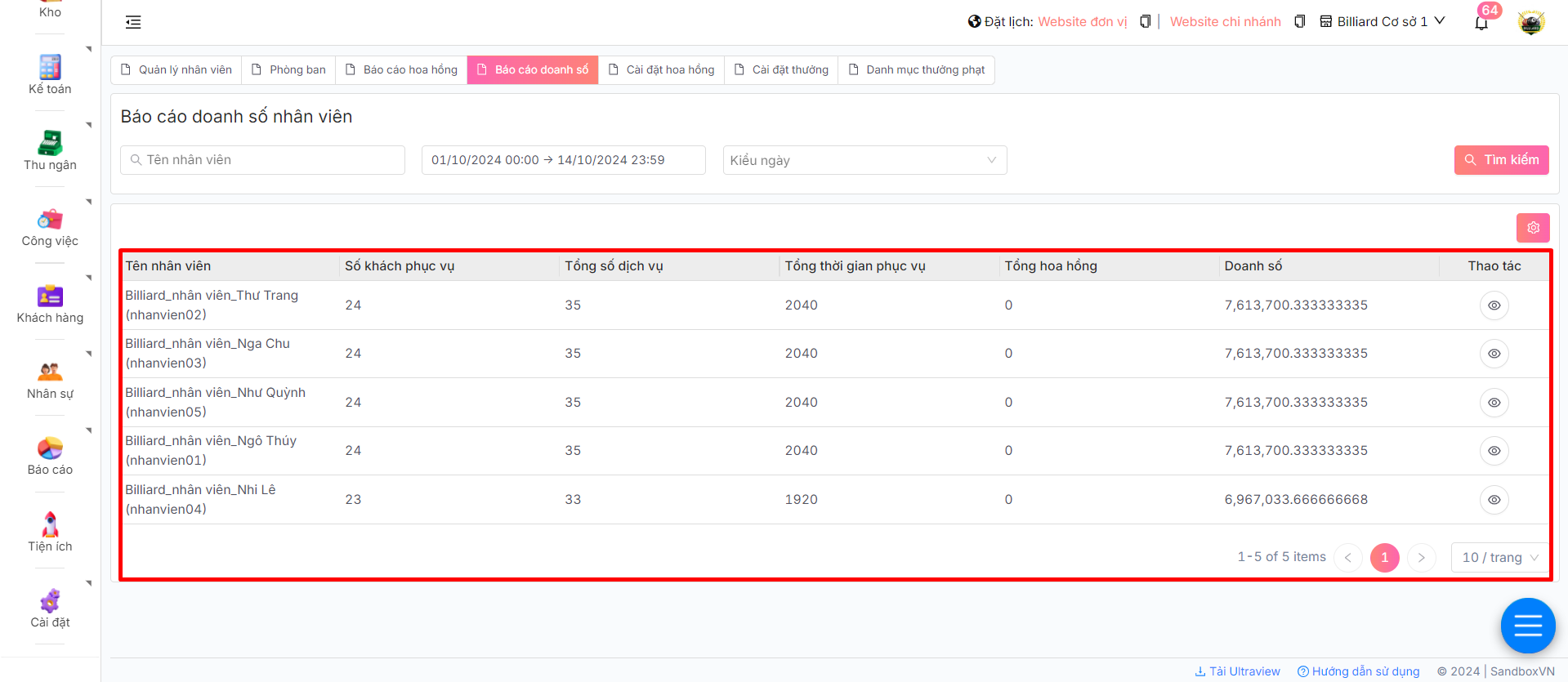
2. Tại đây, anh/chị có thể theo dõi báo cáo doanh số của từng nhân viên trong một khoảng thời gian cụ thể
3. Tùy chỉnh bộ lọc để xem theo từng nhân viên cụ thể, xem theo khoảng ngày hoặc xem theo kiểu ngày đơn hàng, sau đó bấm chọn
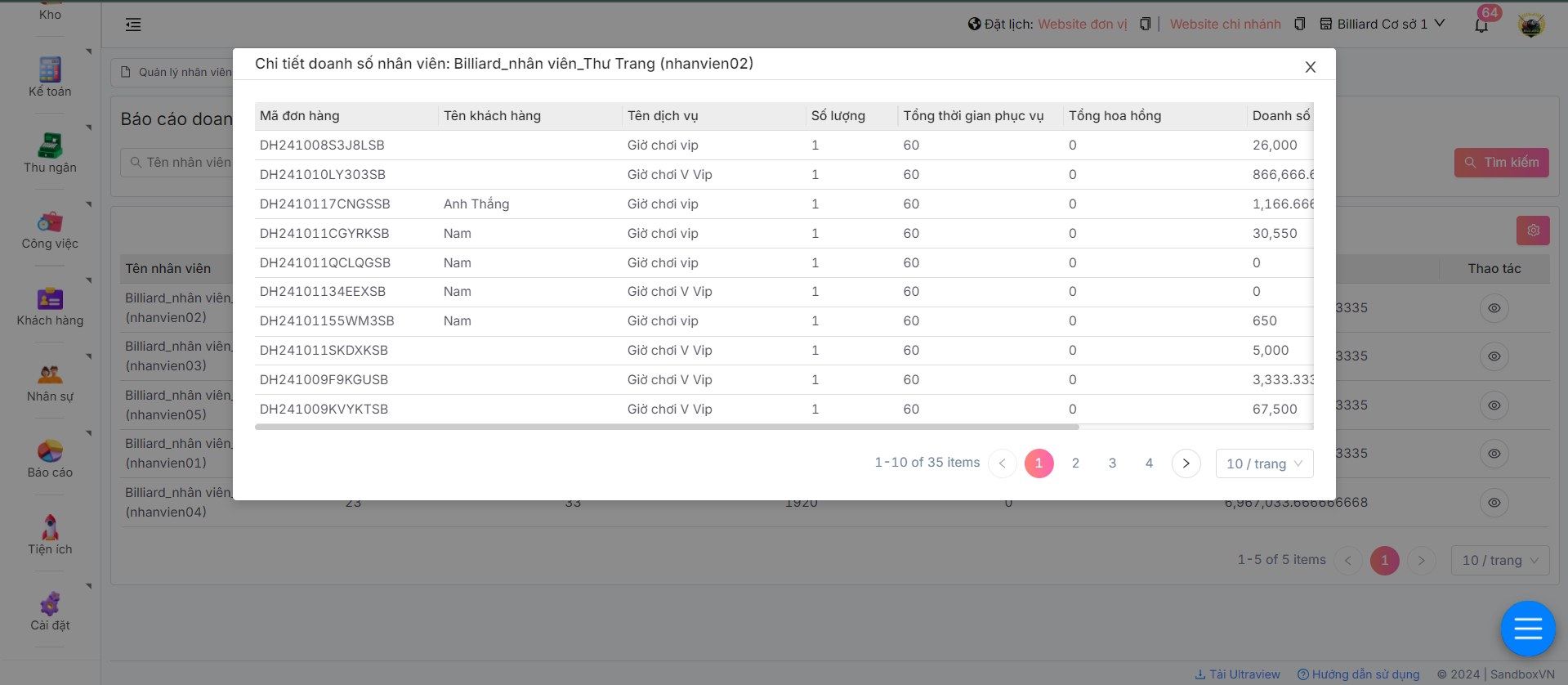
4. Để xem báo cáo chi tiết doanh số của một nhân viên, tại nhân viên muốn xem bấm chọn biểu tượng tại cột **Thao tác**
Hệ thống sẽ hiển thị chi tiết doanh số của nhân viên muốn xem thống kê theo từng đơn hàng


 tại cột **Thao tác**