> For the complete documentation index, see [llms.txt](https://docs.sandbox.com.vn/llms.txt). Markdown versions of documentation pages are available by appending `.md` to page URLs; this page is available as [Markdown](https://docs.sandbox.com.vn/5.-thu-ngan/5.2-lich-hen/5.2.1-lich-hen/5.2.1.2-dat-lich-truc-tiep/2-tao-don-hang-tai-man-lich-hen.md).
# 2 Tạo đơn hàng tại màn lịch hẹn
Nhân viên có thể tạo đơn hàng ngay tại màn hình tạo lịch hẹn khi khách hàng đến trực tiếp. Điều này giúp giảm bớt bước, tối ưu hóa quá trình làm việc cho nhân viên.
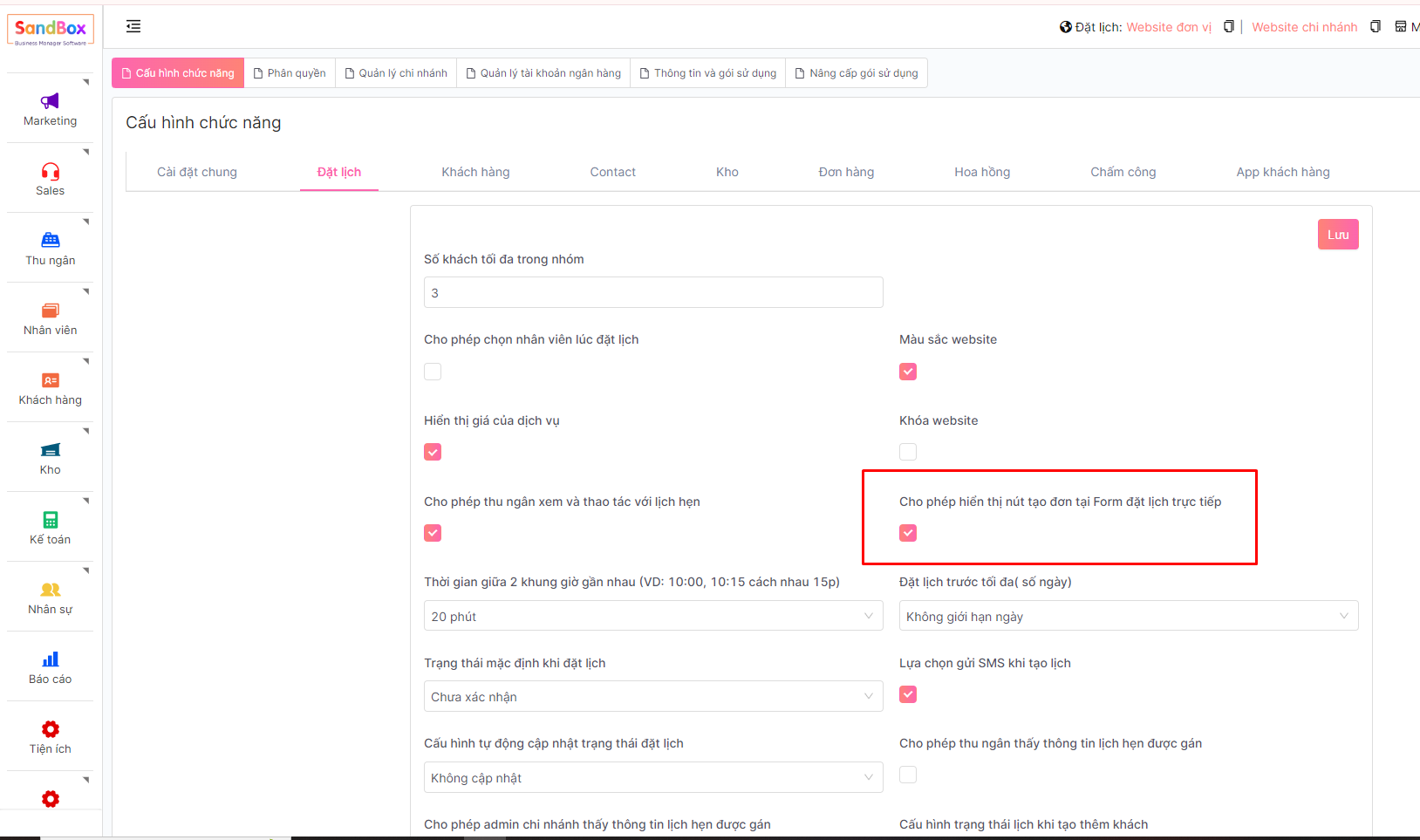
1. Cấu hình: **Cho phép hiển thị nút tạo đơn tại Form đặt lịch trực tiếp**
**Menu -> Cài đặt -> Cấu hình chung -> tab Đặt lịch**
Tích chọn: Cho phép hiển thị nút tạo đơn tại Form đặt lịch trực tiếp
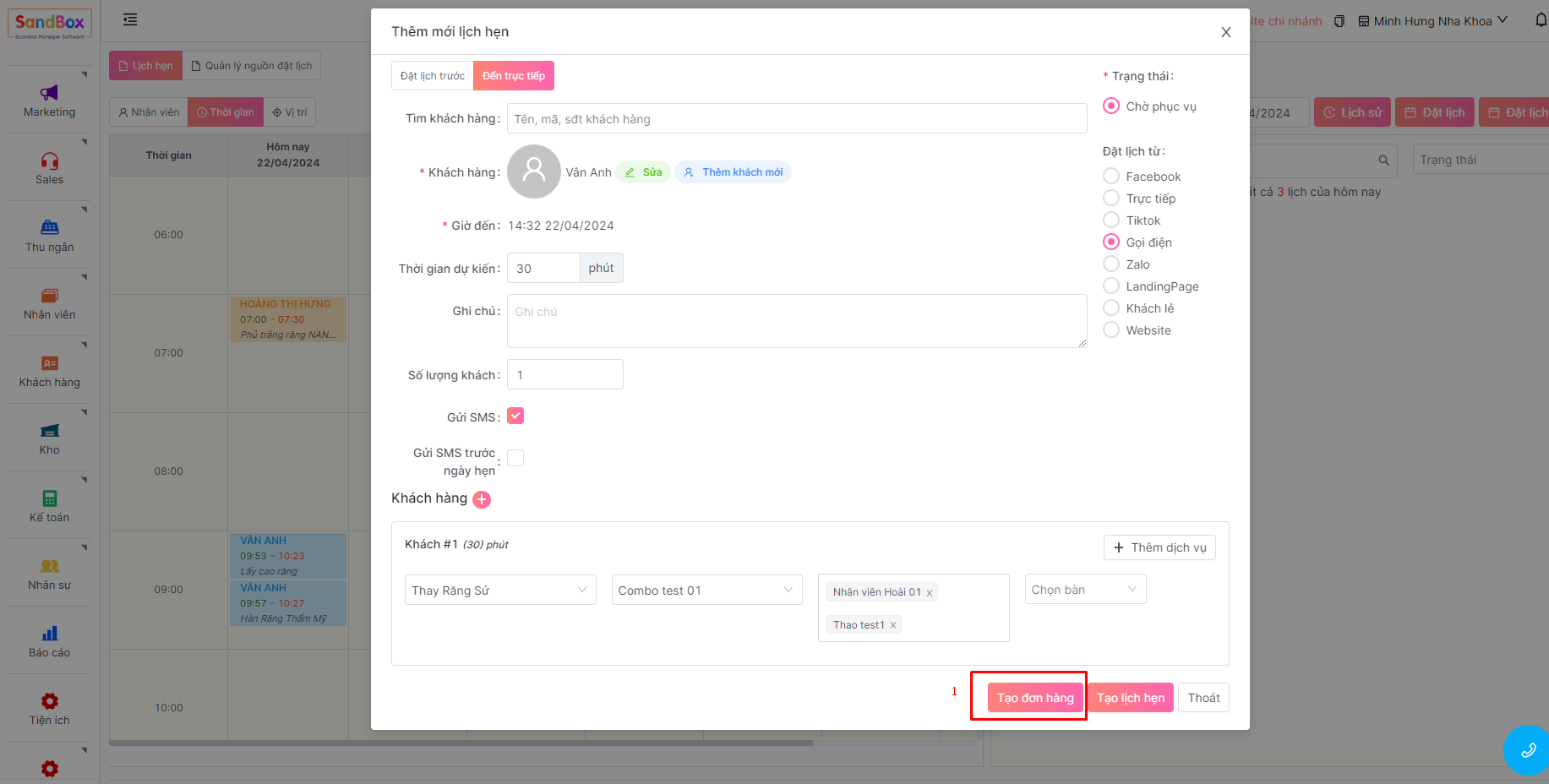
2. Tạo đơn hàng tại màn lịch hẹn
**Menu -> Thu ngân -> Lịch hẹn -> Đặt lịch -> Chọn tab Đặt lịch đến trực tiếp**
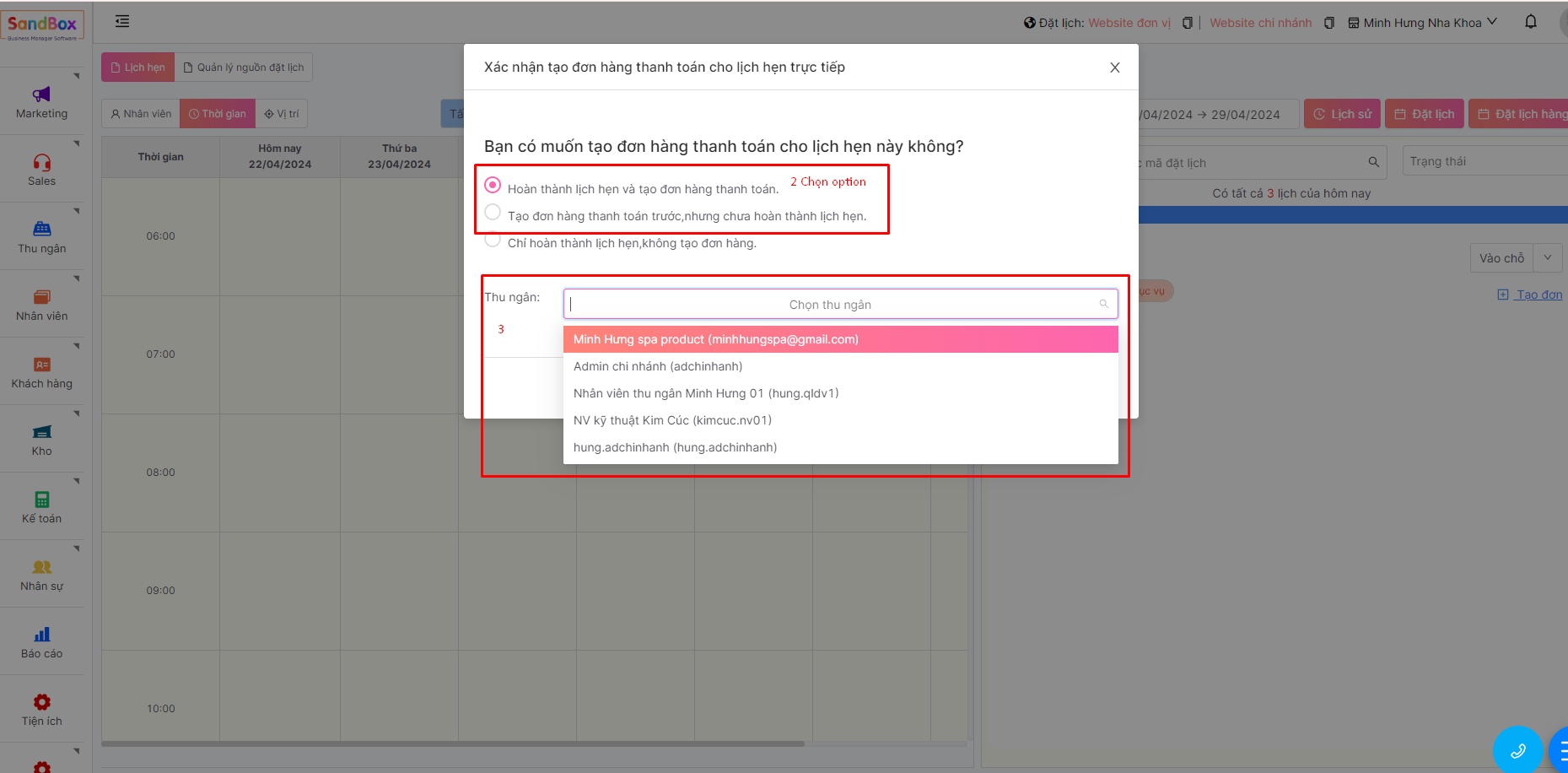
Chọn thao tác Tạo đơn hàng: hệ thống sẽ tạo lịch hẹn và đồng thời điều hướng đến màn xác nhận tạo đơn hàng
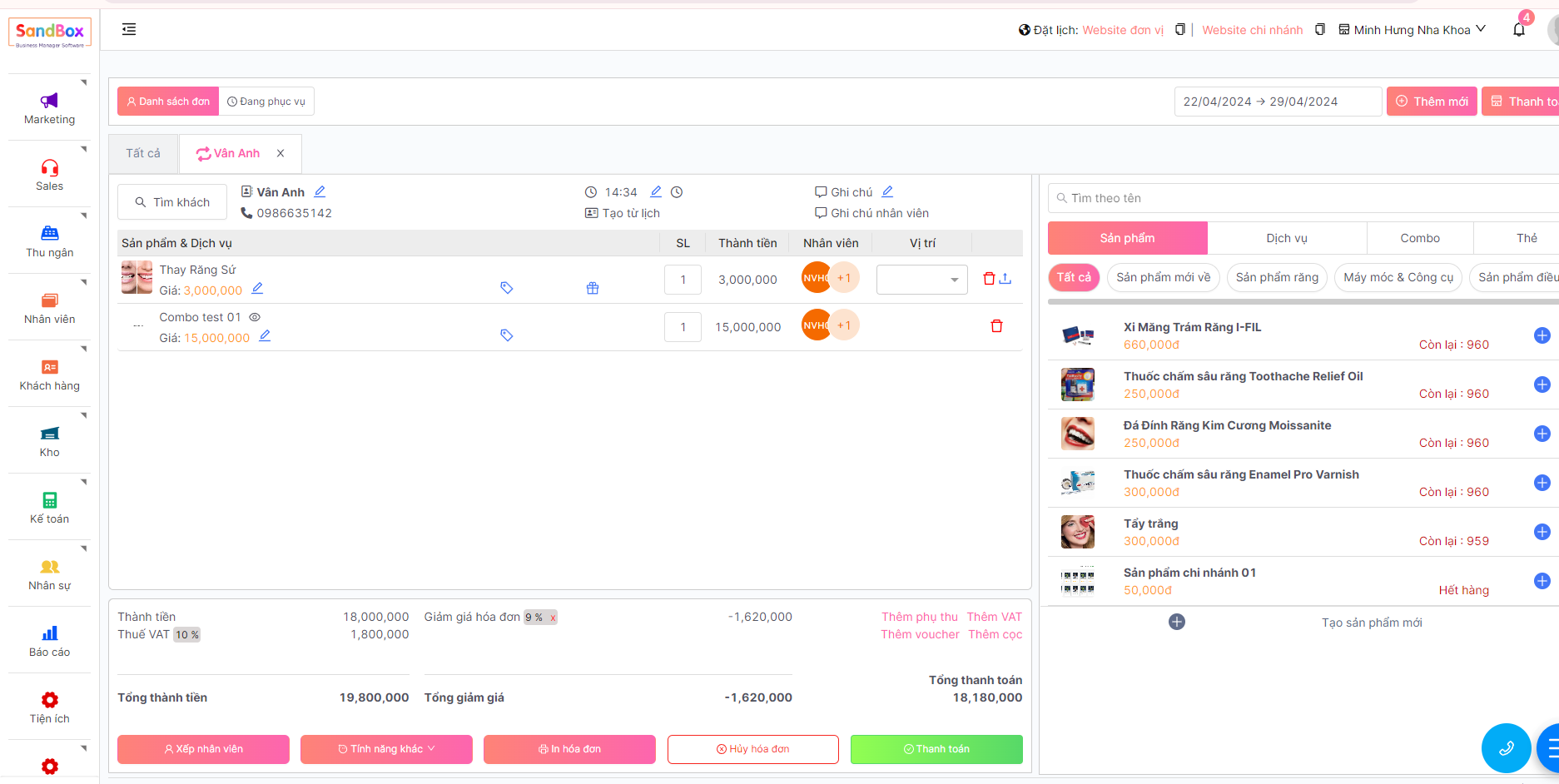
Sau khi xác nhận tạo đơn hệ thống sẽ điều hướng đến màn thông tin chi tiết đơn hàng và có thể tiến hành thanh toán đơn hàng