> For the complete documentation index, see [llms.txt](https://docs.sandbox.com.vn/llms.txt). Markdown versions of documentation pages are available by appending `.md` to page URLs; this page is available as [Markdown](https://docs.sandbox.com.vn/5.-thu-ngan/5.2-lich-hen/5.2.1-lich-hen/5.2.1.2-dat-lich-truc-tiep/2-danh-sach-lich-hen.md).
# 2 Danh sách lịch hẹn
Danh sách lịch hẹn mang lại lợi ích về ghi nhớ, theo dõi, quản lý, lưu giữ các cuộc hẹn trong hệ thống. Giúp tổ chức và nắm bắt thông tin quan trọng liên quan đến các cuộc hẹn đã diễn ra.
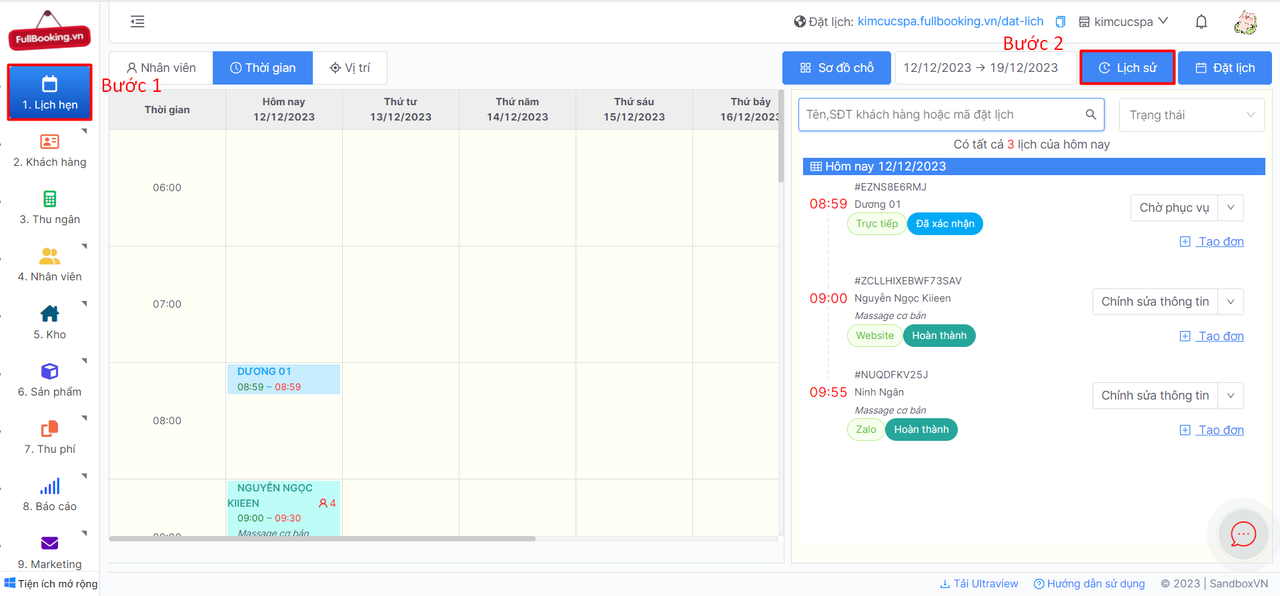
1. Sau khi đăng nhập, tại thanh Menu chọn **1.Lịch hẹn -> Lịch sử**
2. Thao tác với lịch hẹn tương tự ở [Đặt lịch trực tiếp](/5.-thu-ngan/5.2-lich-hen/5.2.1-lich-hen/5.2.1.2-dat-lich-truc-tiep.md)
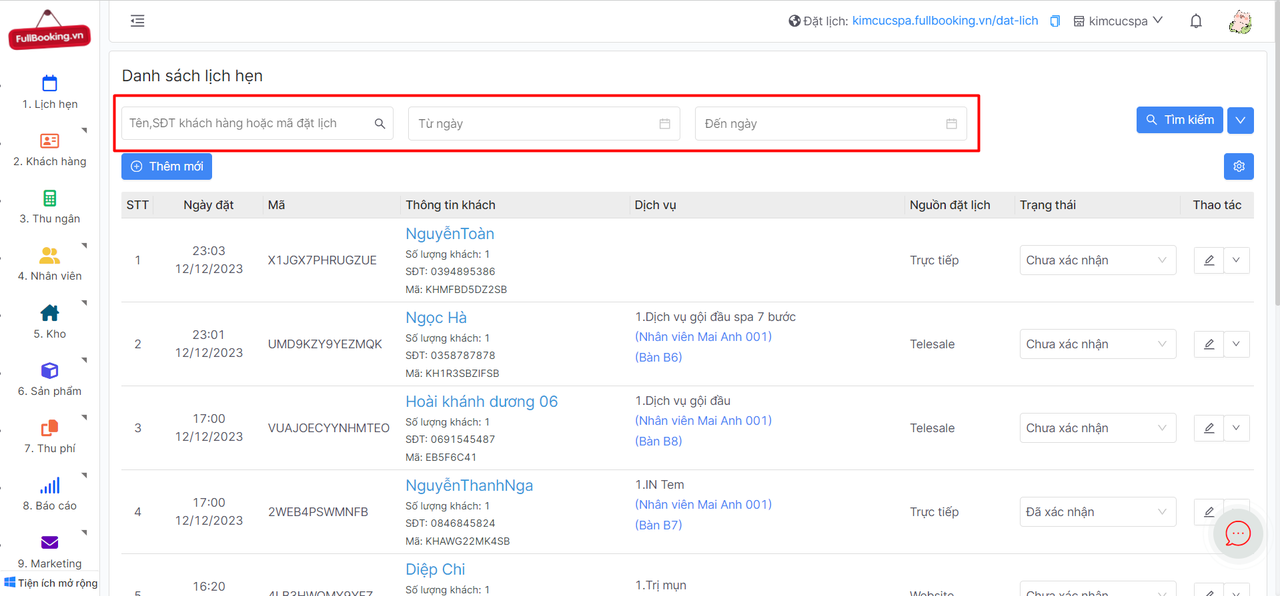
3. Nhập ô **Tên, SĐT khách hàng hoặc mã đặt lịch** và ấn **Tìm kiếm** để hiển thị lịch hẹn mong muốn. Hoặc lọc lịch hẹn khi chọn **Từ ngày -> Đến ngày**
{% hint style="info" %}
Để lọc lịch hẹn theo **Trạng thái** và **Nguồn đặt lịch** nhấn vào nút **Mũi tên** cạnh Tìm kiếm
{% endhint %}
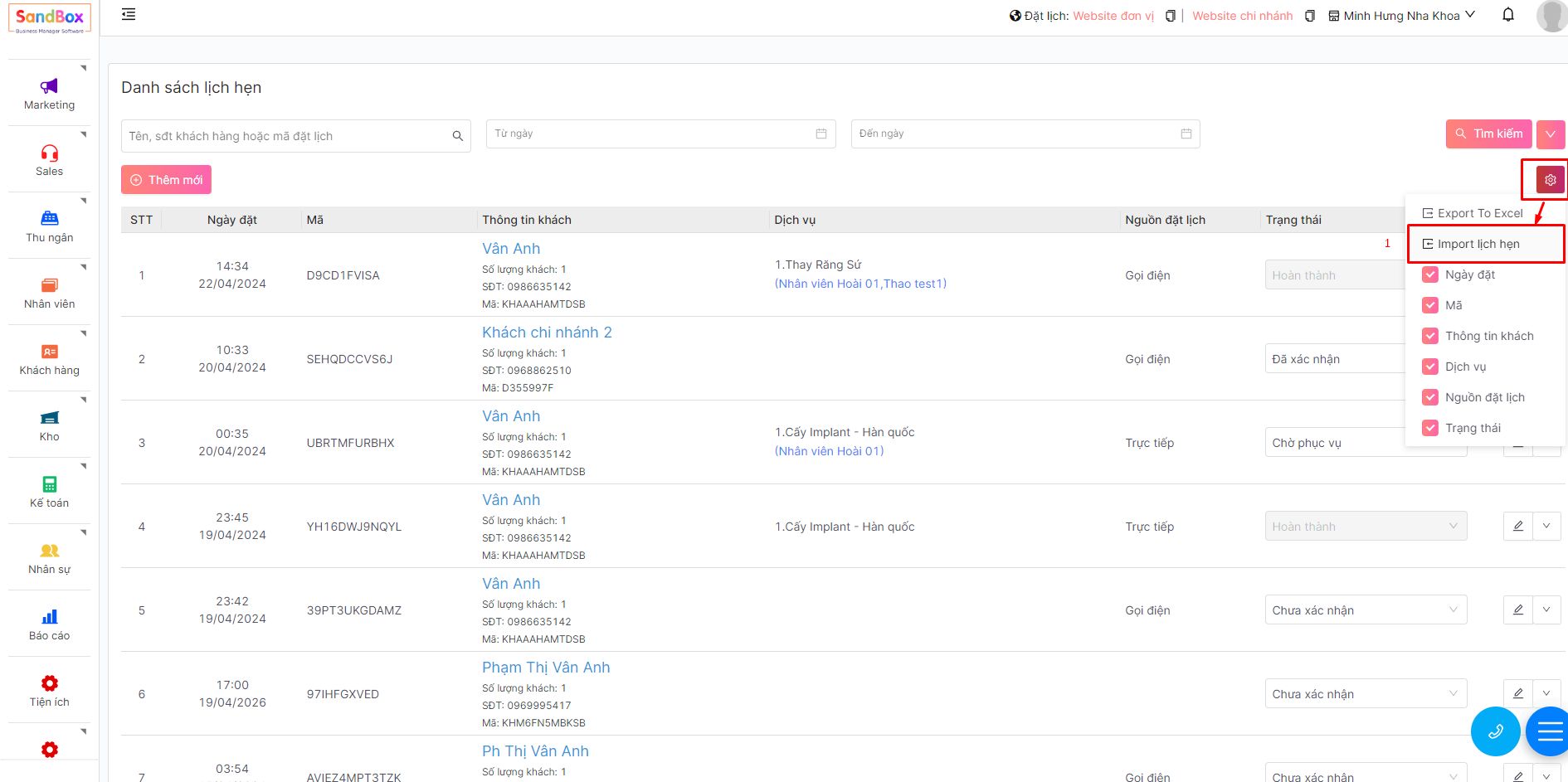
4. Import lịch hẹn từ file excel
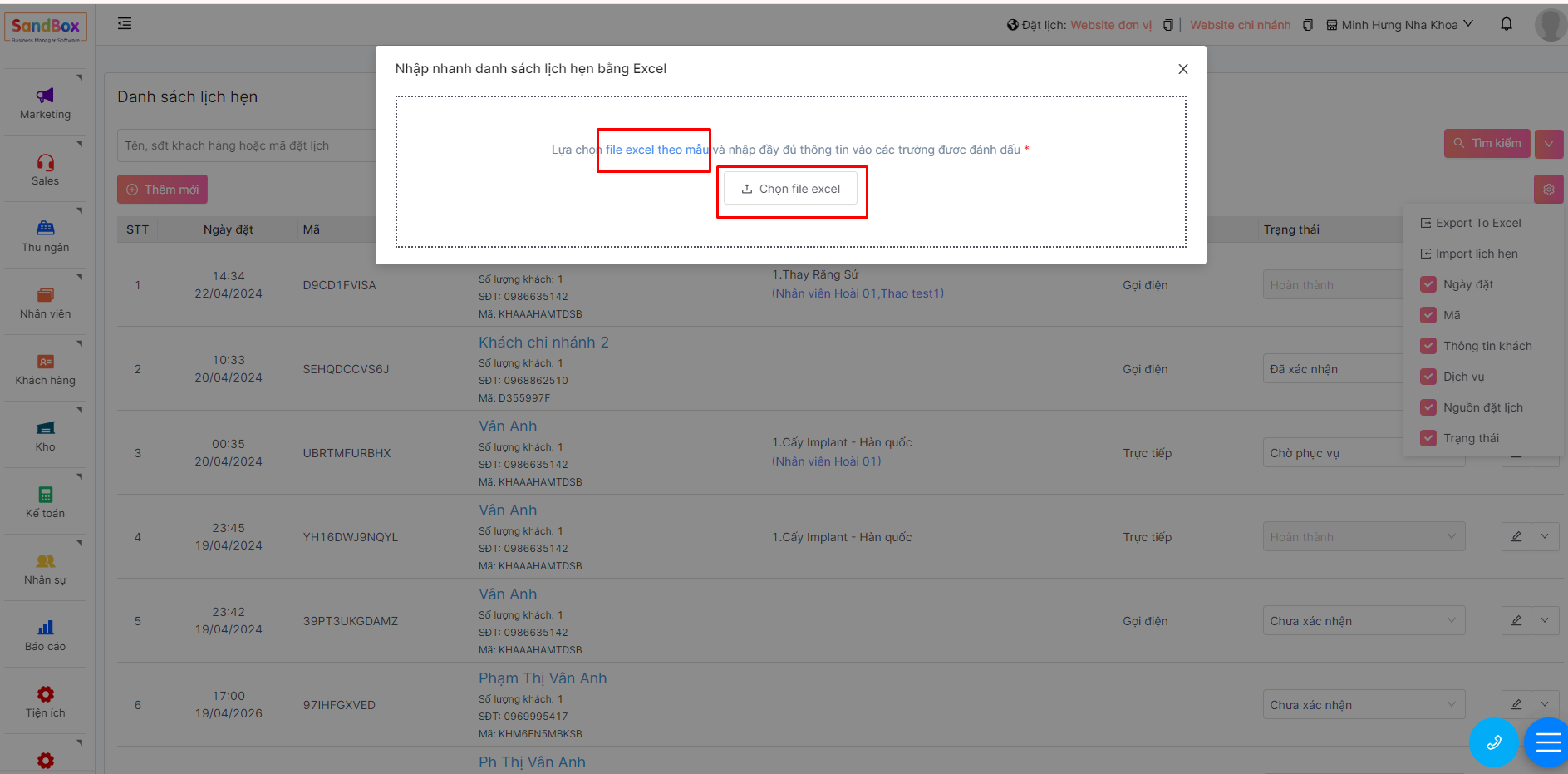
Tại màn danh sách lịch hẹn: chọn setting-> Import lịch hẹn
Bạn có thể tải xuống file mẫu nhập thông tin và đăng tải lên.