> For the complete documentation index, see [llms.txt](https://docs.sandbox.com.vn/llms.txt). Markdown versions of documentation pages are available by appending `.md` to page URLs; this page is available as [Markdown](https://docs.sandbox.com.vn/4.-ke-toan/4.10-cap-nhat-thong-tin-thue-cua-hoa-don.md).
# 4.10 Cập nhật Thông tin thuế của hóa đơn
### Đơn hàng offline:
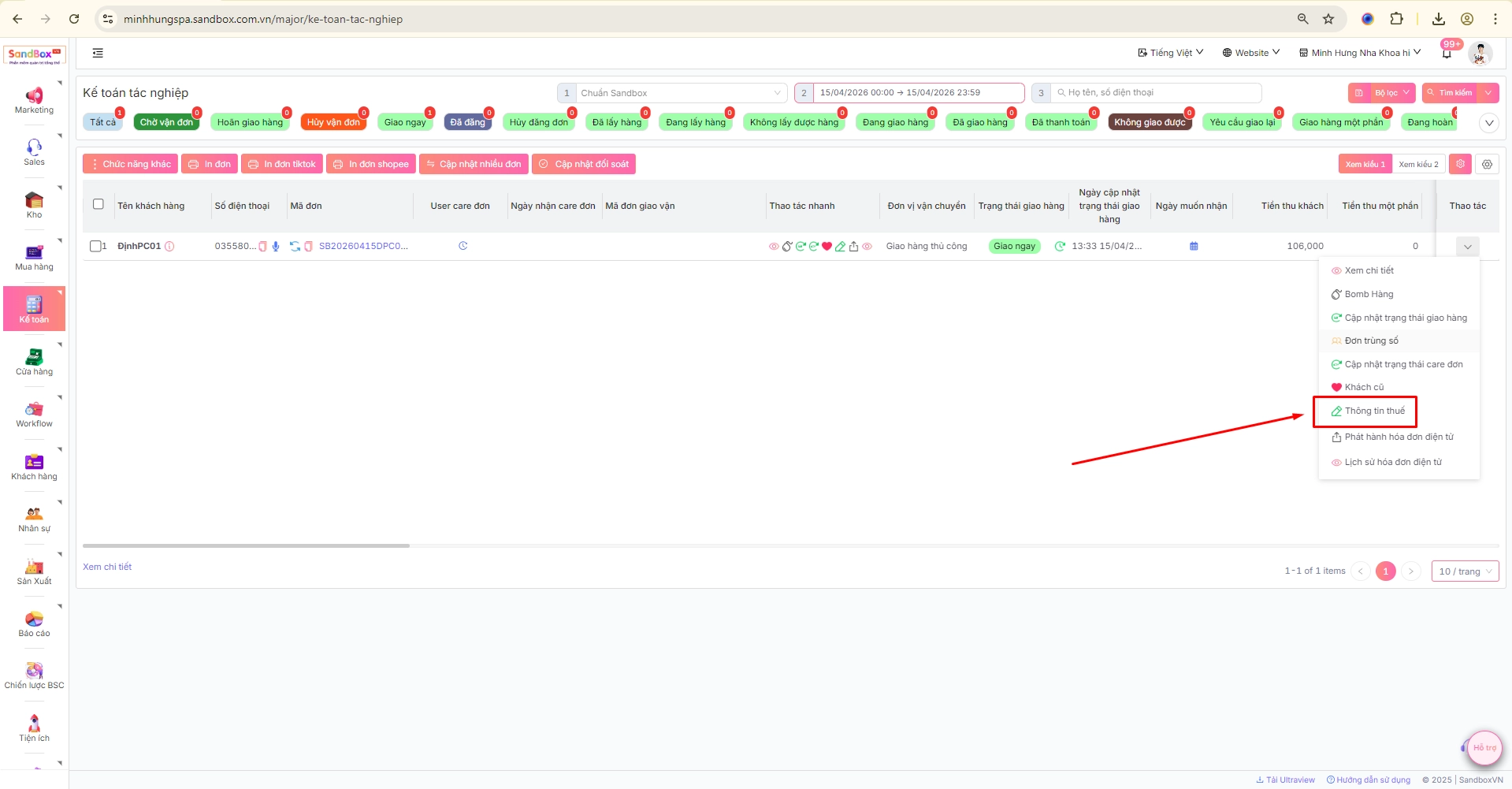
(1) Bổ sung icon thông tin thuế : để gần phần thông tin khách hàng
(2) Trong popup thông tin thuế của hóa đơn
* Thêm Tab Email nhận hóa đơn : Có trường text điền email \
-> Khi xuất hóa đơn thì gửi qua email này cho khách hàng
(3) Sau khi lưu thông tin thuế của khách hàng ở các đơn cũ, thì các thông tin đó sẽ được lưu lại và cho phép chọn ở các đơn hàng sau
(4) bỏ tính năng chọn email ở popup phát hành hóa đơn (tính năng cũ)
(5) thêm bộ lọc kiểu phát hành ( tự động, thủ công) ở màn lịch sử, và danh sách những hóa đơn đã phát hành
**Hóa đơn điện tử MeInvoice / Hóa đơn điện tử ViettelInvoice > Lịch sử**
(6) Thêm cấu hình bắt tắt tự động gửi email: nếu bật cấu hình thì khi xuất hóa đơn sẽ đc gửi đến email được cấu hình gửi
**Hóa đơn điện tử MeInvoice / Hóa đơn điện tử ViettelInvoice > Cấu hình**
Thông tin trên hóa đơn khi xuất ra sẽ lấy theo thông tin thuế của hóa đơn;
Lưu ý:
\
Hiện tại thông tin thuế của cá nhân thì không điền mst thì mới xuất được hóa đơn ( sau này sẽ ẩn mst đi )
**II. Đơn hàng online**
Tương tự như offline, đơn hàng online cũng hoạt động như trên tại mục lên tạo đơn hàng