> For the complete documentation index, see [llms.txt](https://docs.sandbox.com.vn/llms.txt). Markdown versions of documentation pages are available by appending `.md` to page URLs; this page is available as [Markdown](https://docs.sandbox.com.vn/3.-kho/3.5-quan-ly-the/3.5.2-quan-ly-the-lan.md). Agents can also search and read this documentation through its [MCP server](https://docs.sandbox.com.vn/~gitbook/mcp).
# 3.5.2 Quản lý thẻ lần
Quản lý Thẻ dịch vụ giúp cho Doanh nghiệp quản lí được toàn bộ số lượng các thẻ dịch vụ mà doanh nghiệp muốn đưa ra cho Khách hàng sử dụng
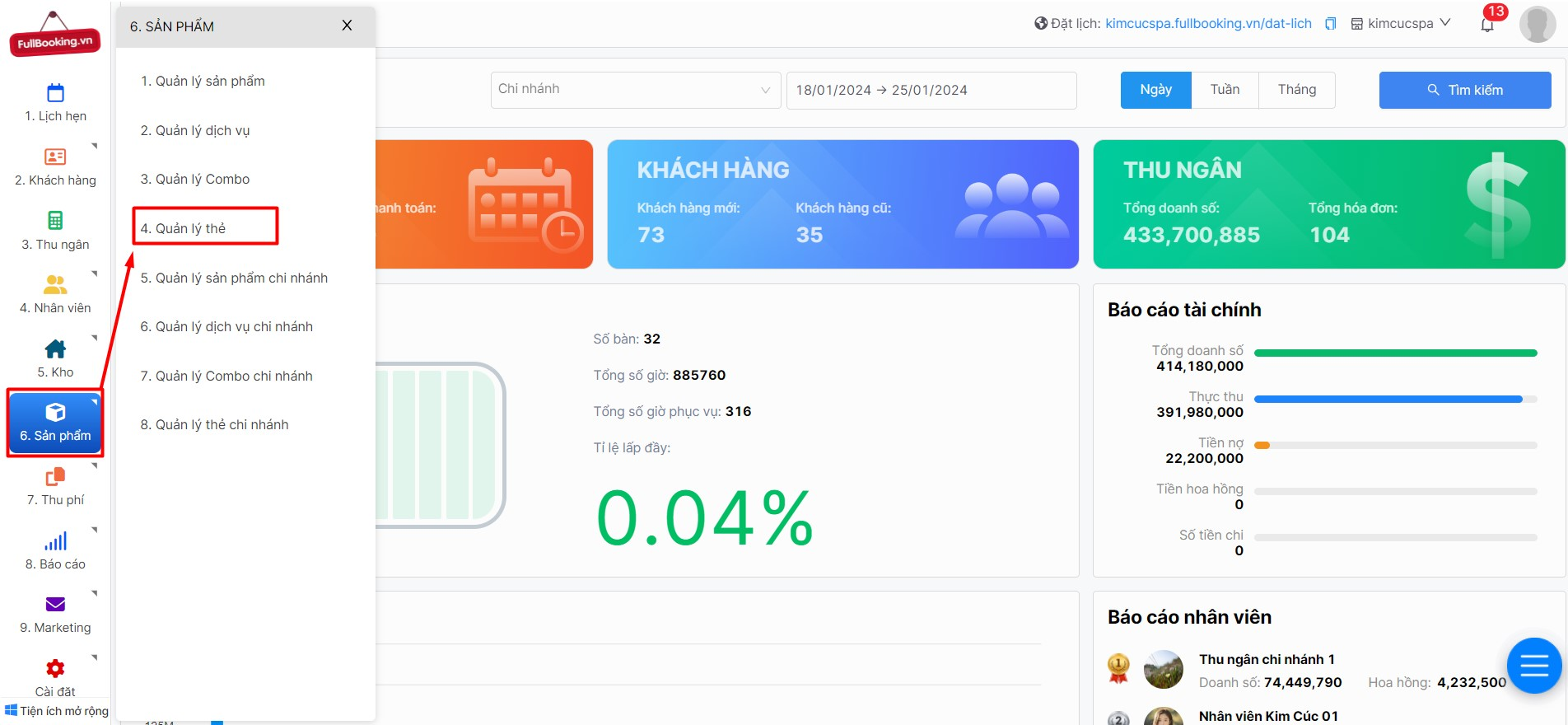
1. Sau khi đăng nhập vào Fullbooking, tại thanh **Menu -> 6. Sản phẩm -> 6.4 quản lý thẻ**
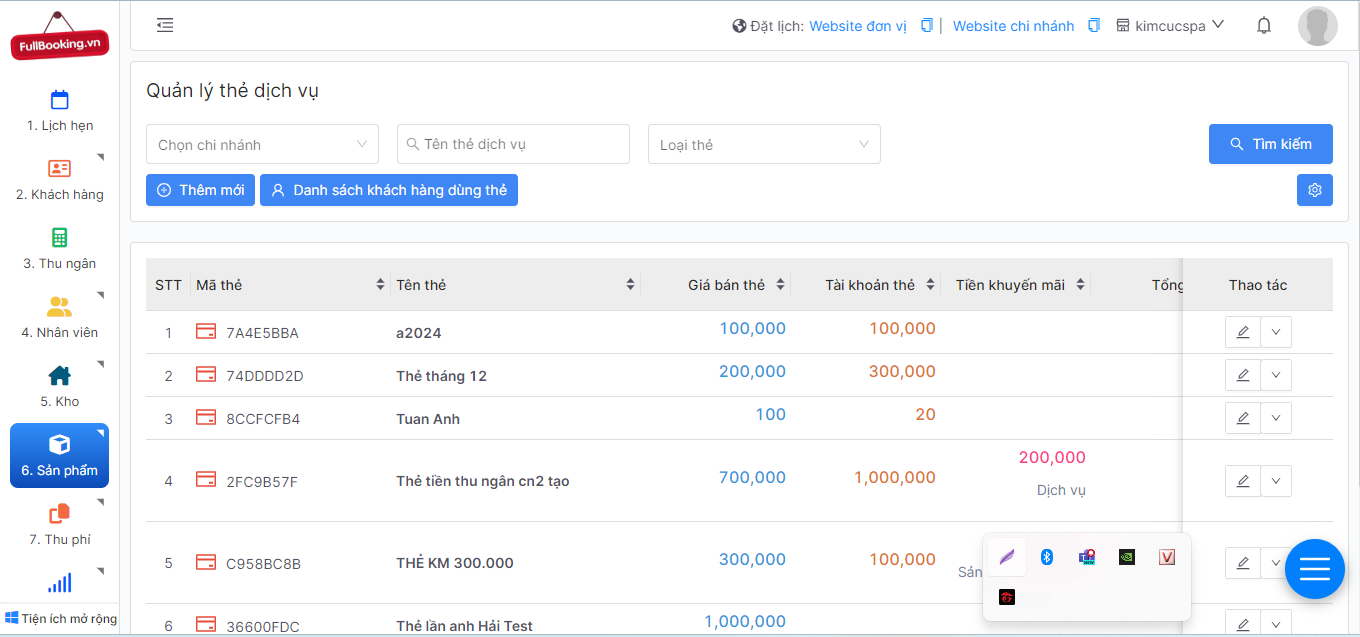
Sau khi chọn xong thì sẽ hiện ra phần Quản lí thẻ đầy đủ như phía dưới
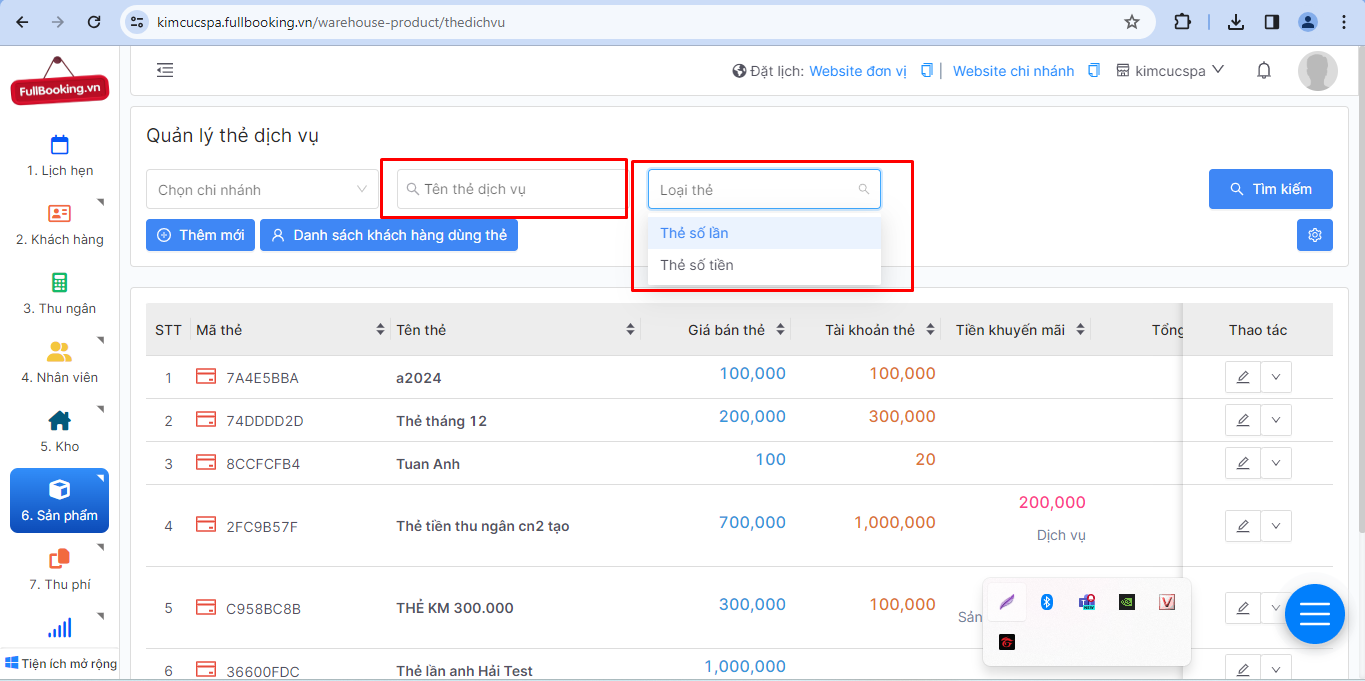
2. Nếu muốn **tìm kiểm** Thẻ dịch vụ
Bước 1 : Chọn chi nhánh
Bước 2 : Chọn Tên thẻ dịch vụ
Bước 3 : Chọn loại thẻ
Bước 4 : Chọn tìm kiếm
3. Muốn **thêm mới** Thẻ dịch vụ chọn **Thêm mới**