> For the complete documentation index, see [llms.txt](https://docs.sandbox.com.vn/llms.txt). Markdown versions of documentation pages are available by appending `.md` to page URLs; this page is available as [Markdown](https://docs.sandbox.com.vn/3.-kho/3.3-quan-li-ton-kho/3.3.1-quan-ly-ton-kho/phieu-nhap-san-pham-ime.md).
# Phiếu nhập sản phẩm Ime
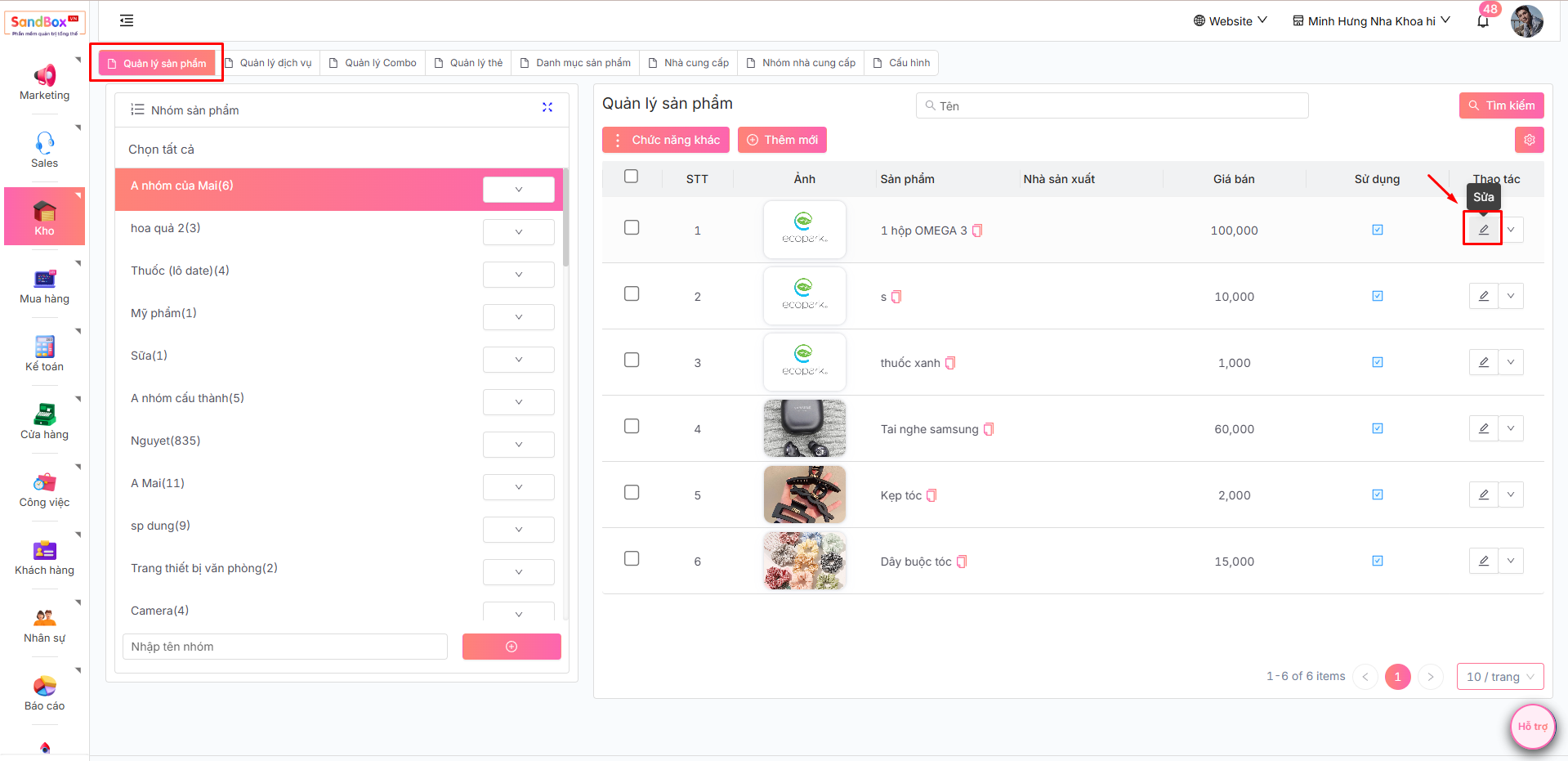
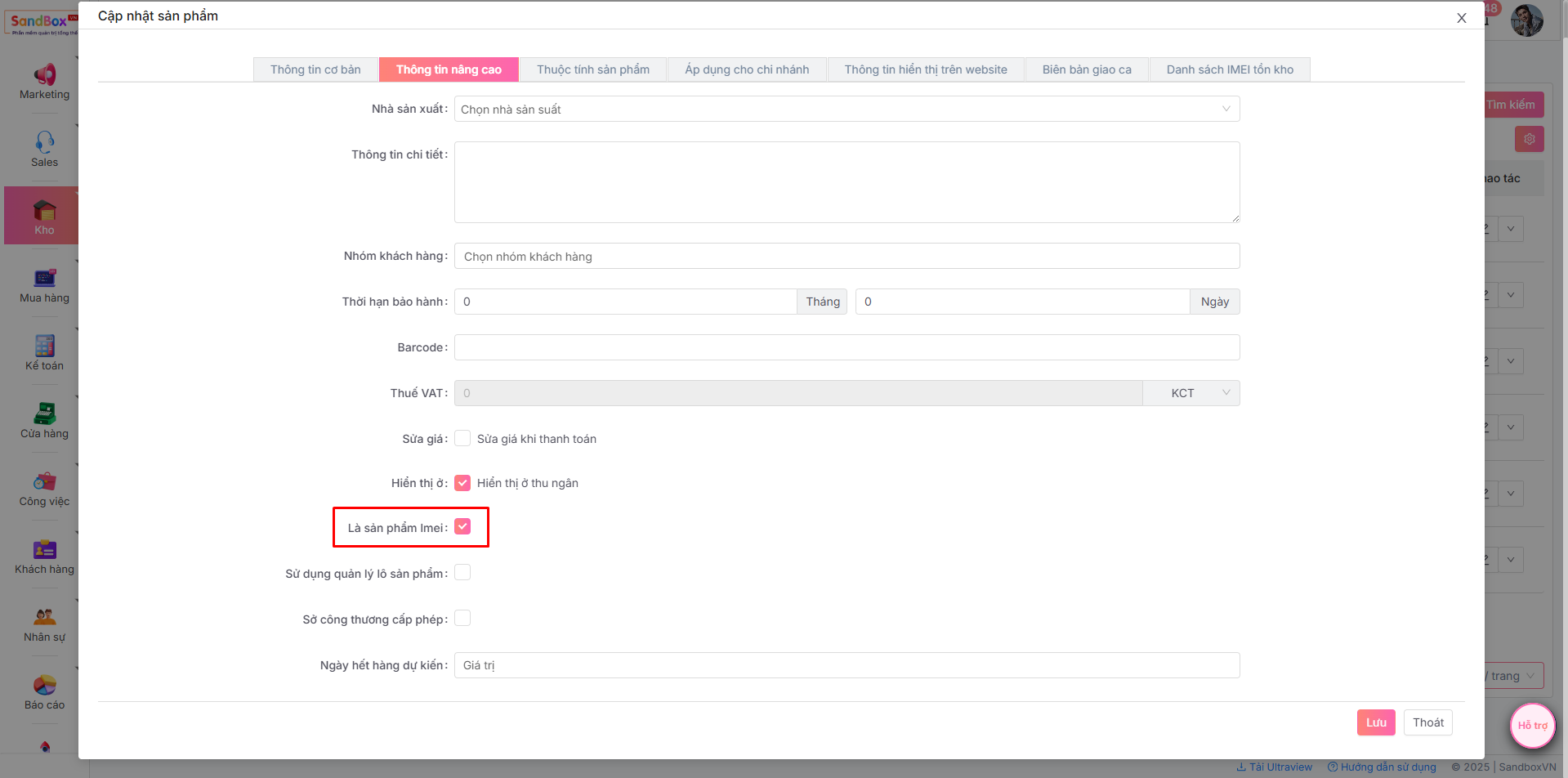
1. Trước hết, sản phẩm đó phải là sản phầm Imei bằng cách:
Chọn menu **Kho** => **Quản lí sản phẩm,** tại cột thao tác chọn nút **Sửa:**
-> Chọn mục **Thông tin nâng cao** - Tick là **sản phẩm Imei**:
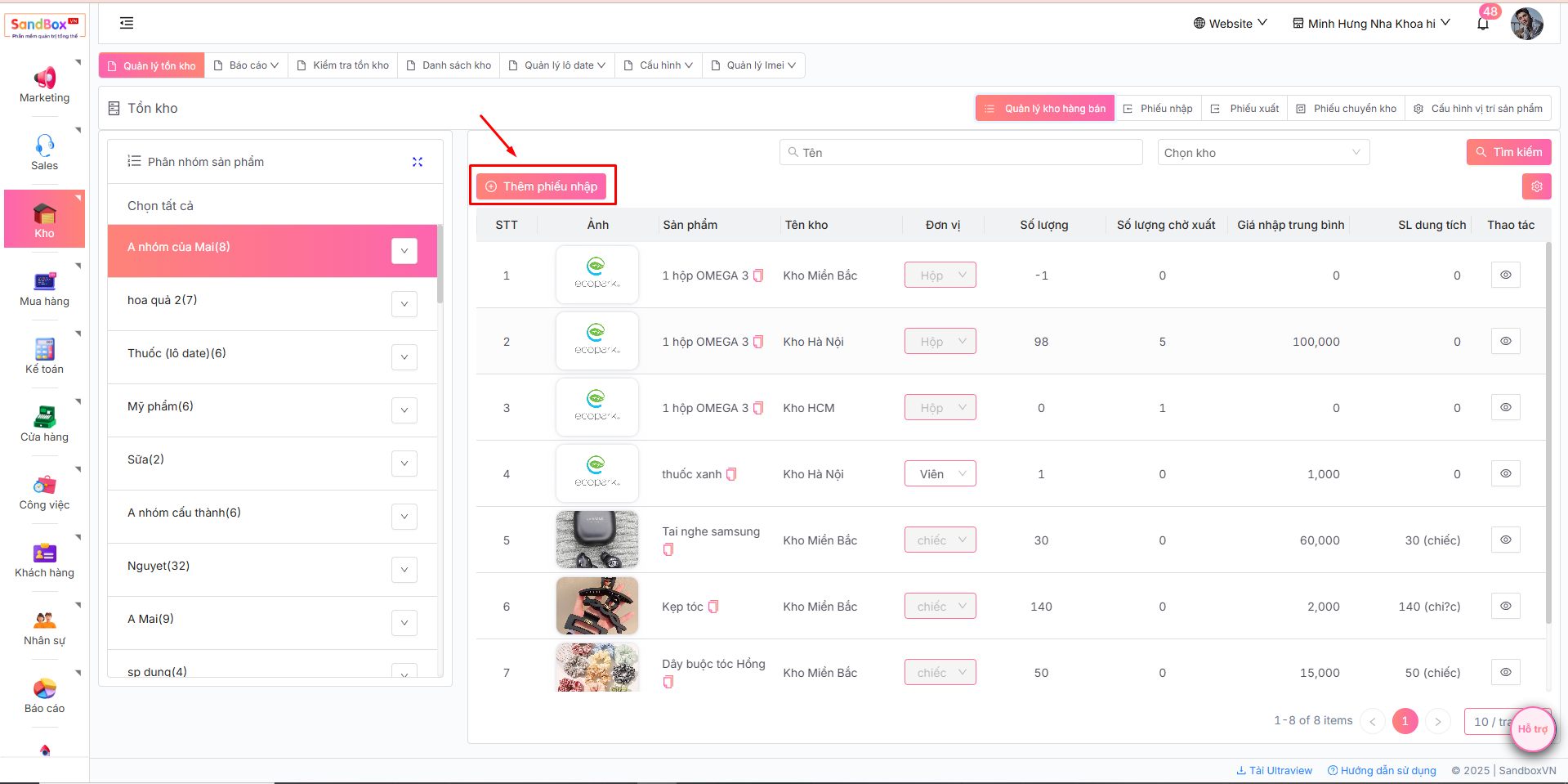
2. Để tạo phiếu nhập, bạn có thể lựa chọn giữa hai cách sau đây.
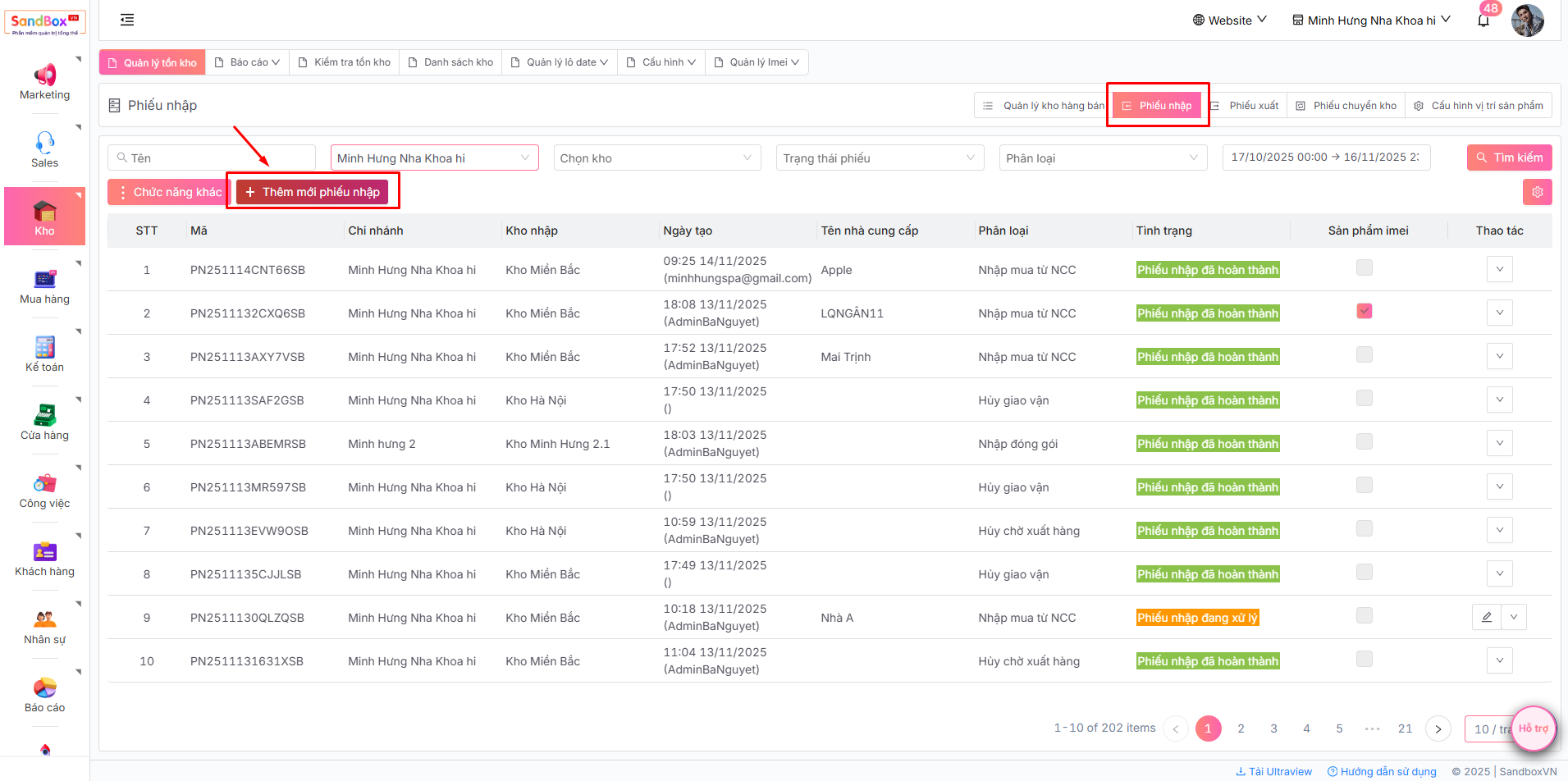
* Cách 1: Tại trang **Quản lý tồn kho,** ấn nút **Thêm phiếu nhập**
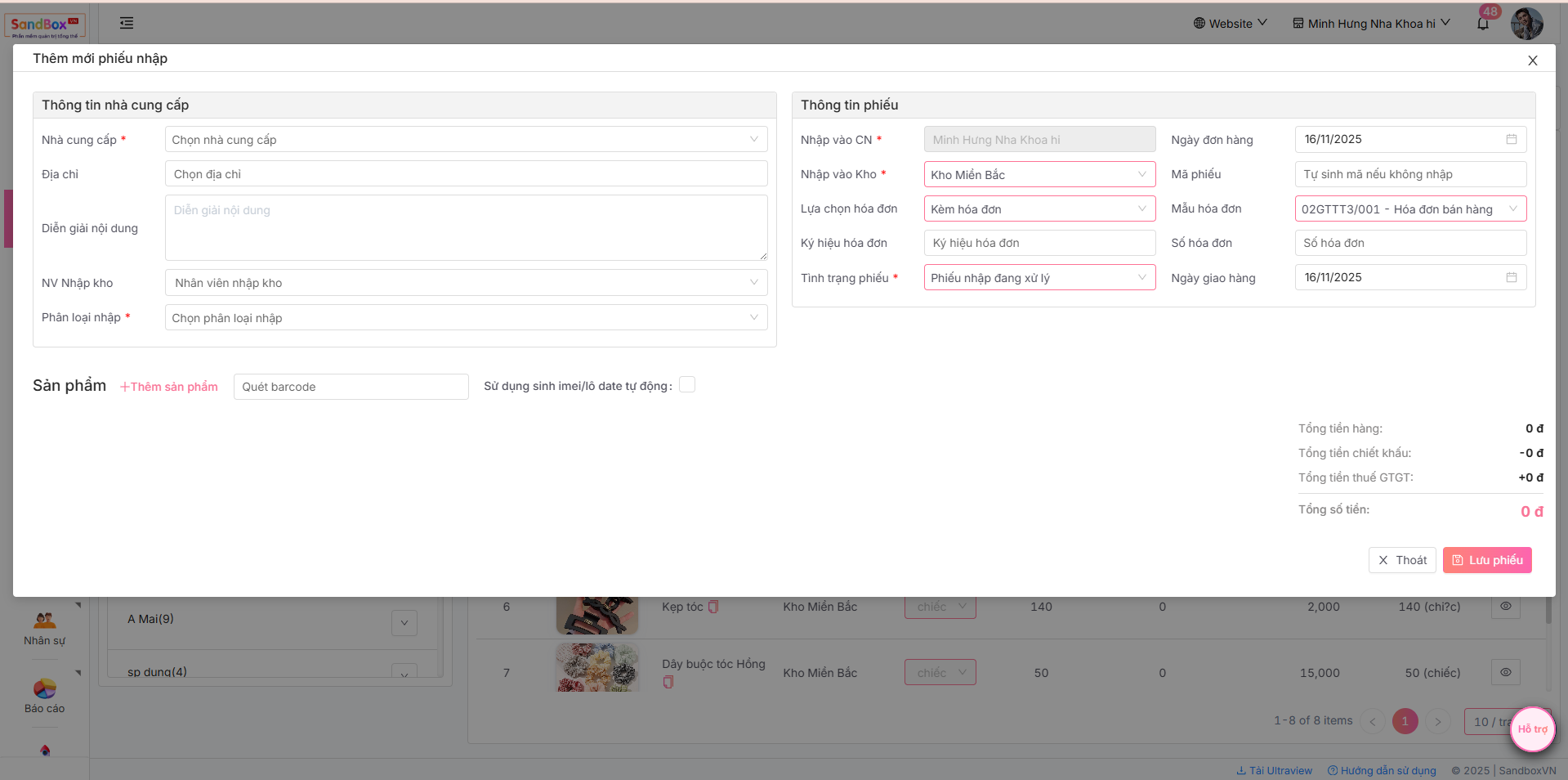
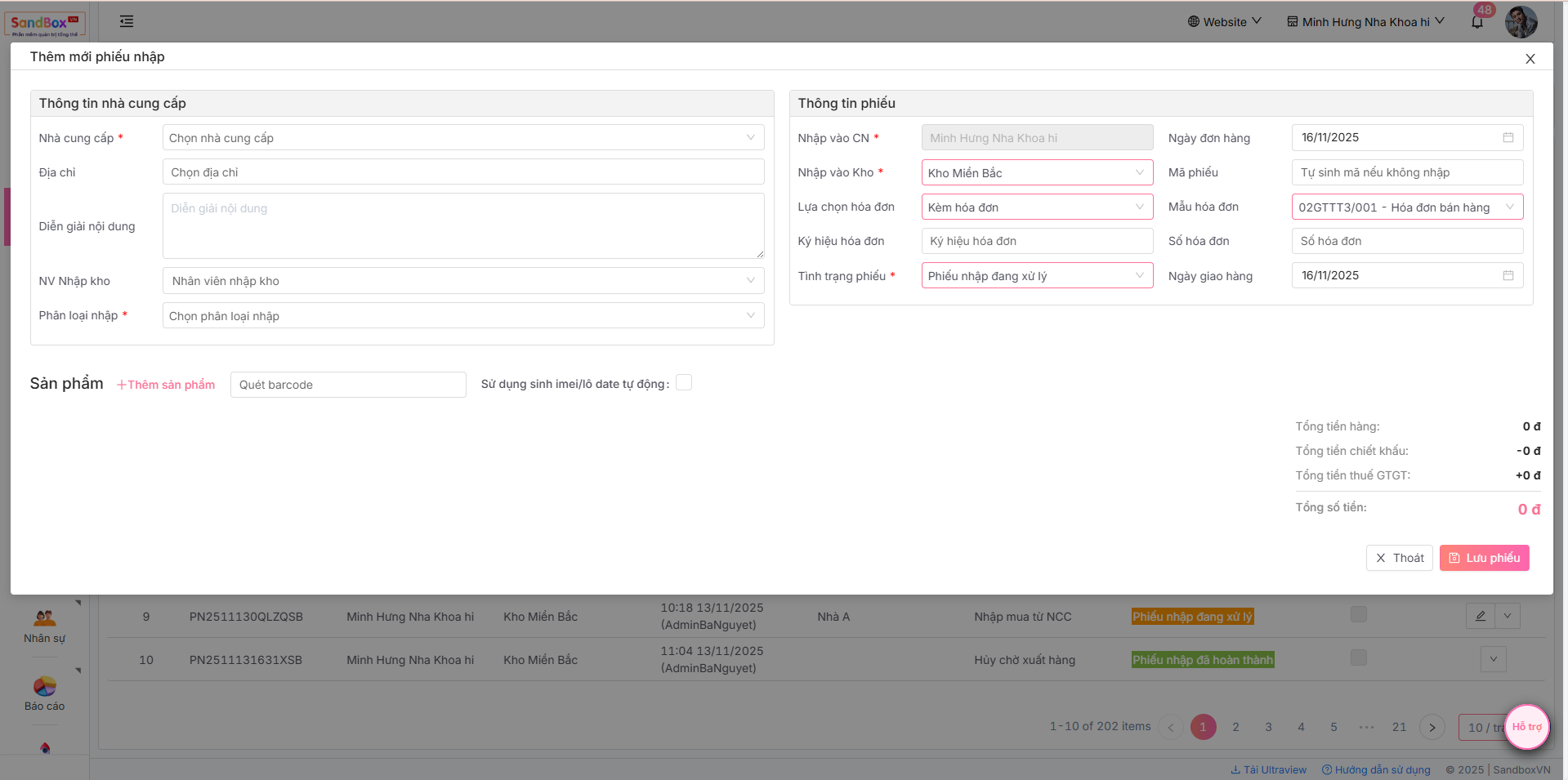
-> Hiển thị form **Thêm mới** **phiếu nhập**
* Cách 2: Tại trang **Quản lý tồn kho**, ấn nút , sau đó nhấn **Thêm mới phiếu nhập**
3. Điền thông tin phiếu nhập và Lưu phiếu:
* **Nhà cung cấp**: Đơn vị cung cấp sản phẩm
* **Phân loại nhập**: Các loại nhập kho, có thể chọn "Nhập đóng gói", "Nhập trả lại từ khách" hoặc "Nhập mua từ NCC",...
* **Mã phiếu**: Giúp quản lý và tra cứu thông tin liên quan đến phiếu dễ dàng hơn. (Mã tự sinh nếu không nhập)
* **Nhập vào kho**: Kho của doanh nghiệp sẽ được nhập hàng.
* **Tình trạng**: Trạng thái hiện tại của một phiếu có sản phẩm Imei mặc định chọn đang xử lý.
* **Ghi chú** (nếu có).
* **Chọn sản phẩm** muốn nhập thêm vào kho trong danh sách sản phẩm, **ghi giá**, **số lượng** nhập, mức **giảm giá** (nếu có) của sản phẩm đó**.**
4. Cho phép click để xem chi tiết phiếu trong lịch sử imei
Trong lịch sử chi tiết imei: Kho -> quản lý tồn kho -> quản lý imei -> danh sách imei -> lịch sử thao tác
Cho phép click vào mã phiếu để mở ra chi tiết phiếu đó