> For the complete documentation index, see [llms.txt](https://docs.sandbox.com.vn/llms.txt). Markdown versions of documentation pages are available by appending `.md` to page URLs; this page is available as [Markdown](https://docs.sandbox.com.vn/3.-kho/3.1-van-don/3.1.5-tinh-nang-cap-nhat-nhieu-don-cho-phep-admin-tong-sua-cac-loai-ngay-theo-tung-don-hang.md).
# 3.1.5 Tính năng cập nhật nhiều đơn: Cho phép admin tổng sửa các loại ngày theo từng đơn hàng
Tính năng này cho phép admin tổng có thể chỉnh sửa các loại ngày hoặc loại khách hàng mới-cũ theo từng đơn hàng.
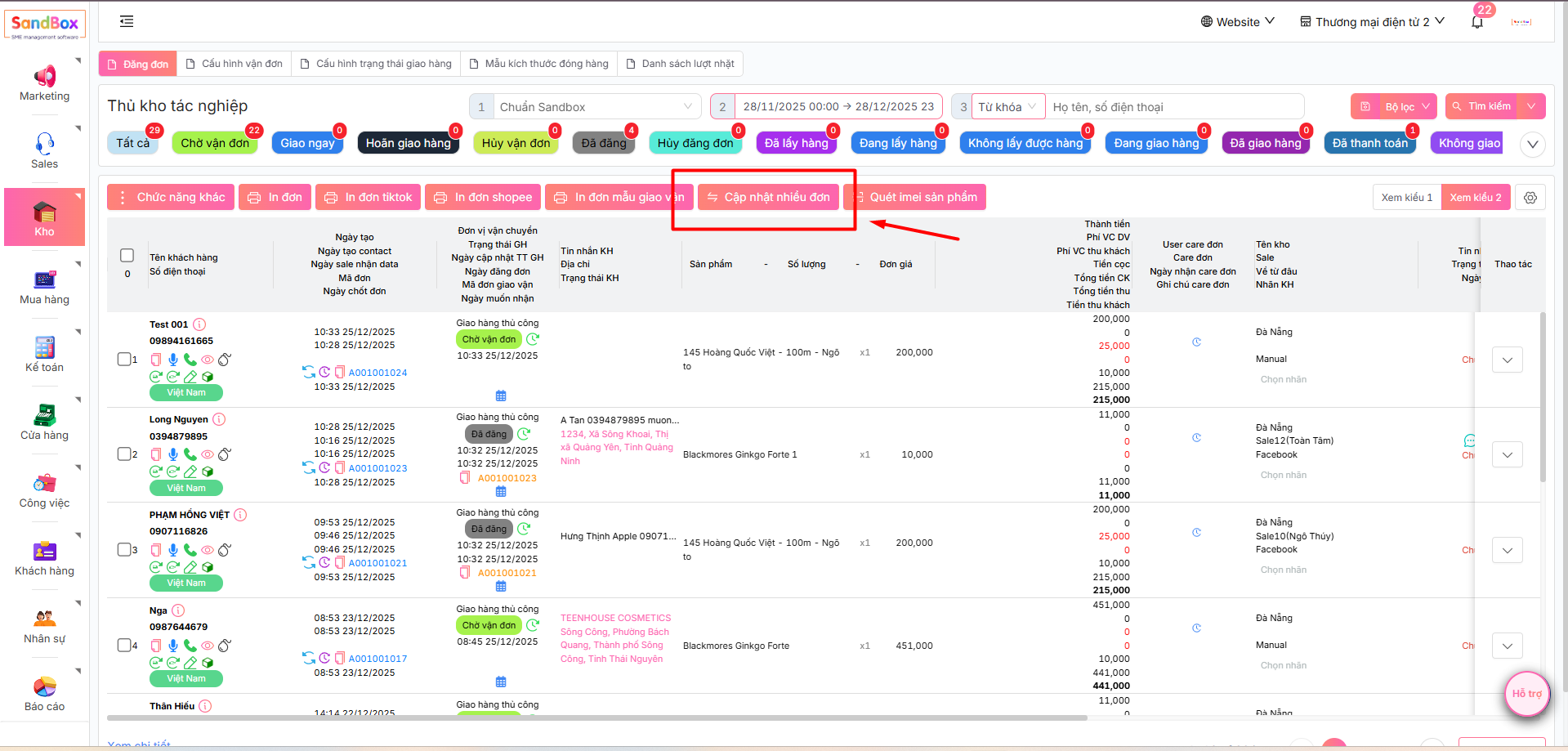
1. Sau khi đăng nhập thành công, tại thanh menu chọn **Kho → Vận đơn.**
2. Tại giao diện Thủ kho tác nghiệp, chọn mục **Cập nhật nhiều đơn**
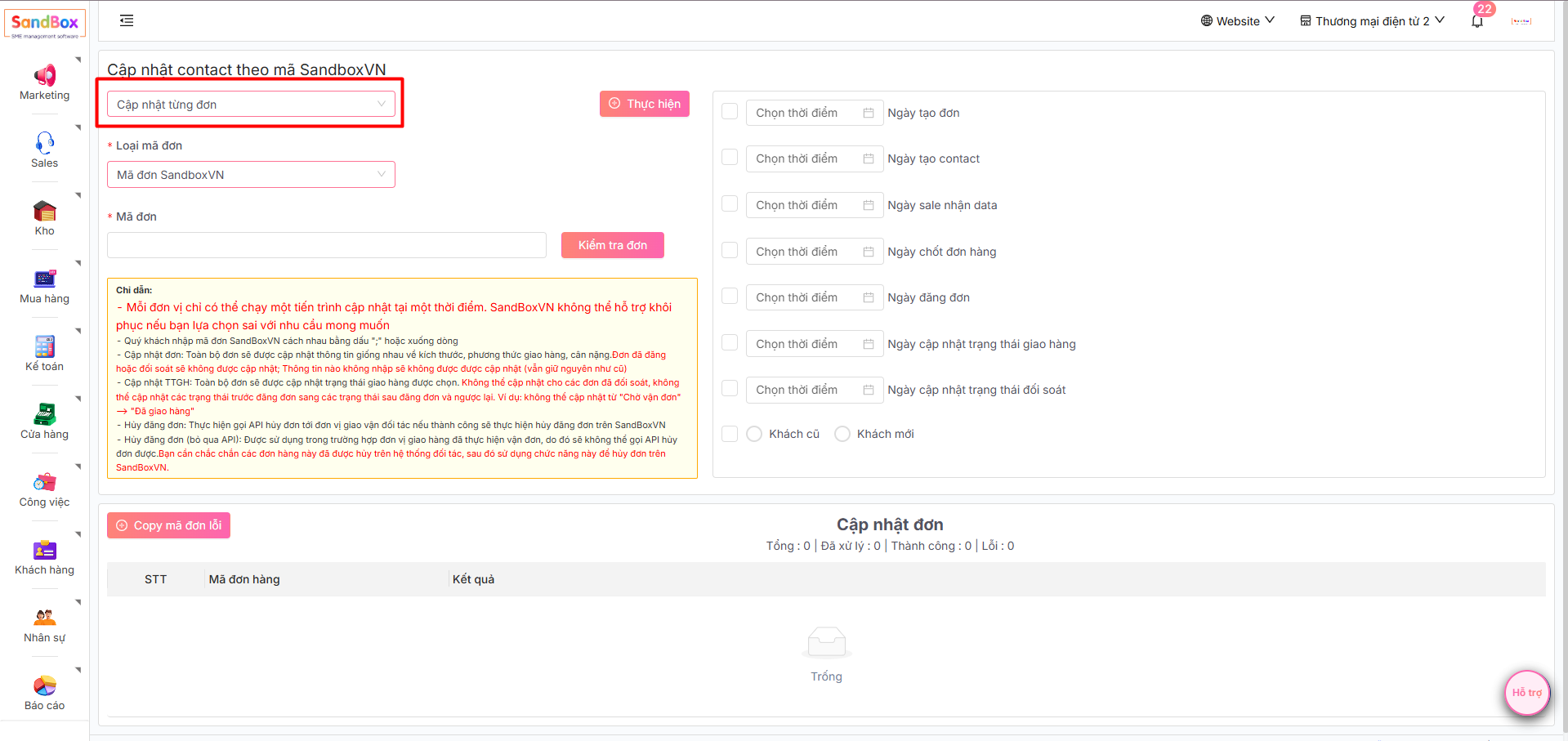
3. Sau đó hệ thống sẽ hiển thị giao diện cập nhật contact theo mã SandboxVN. Tại đây, chọn Cập nhật từng đơn
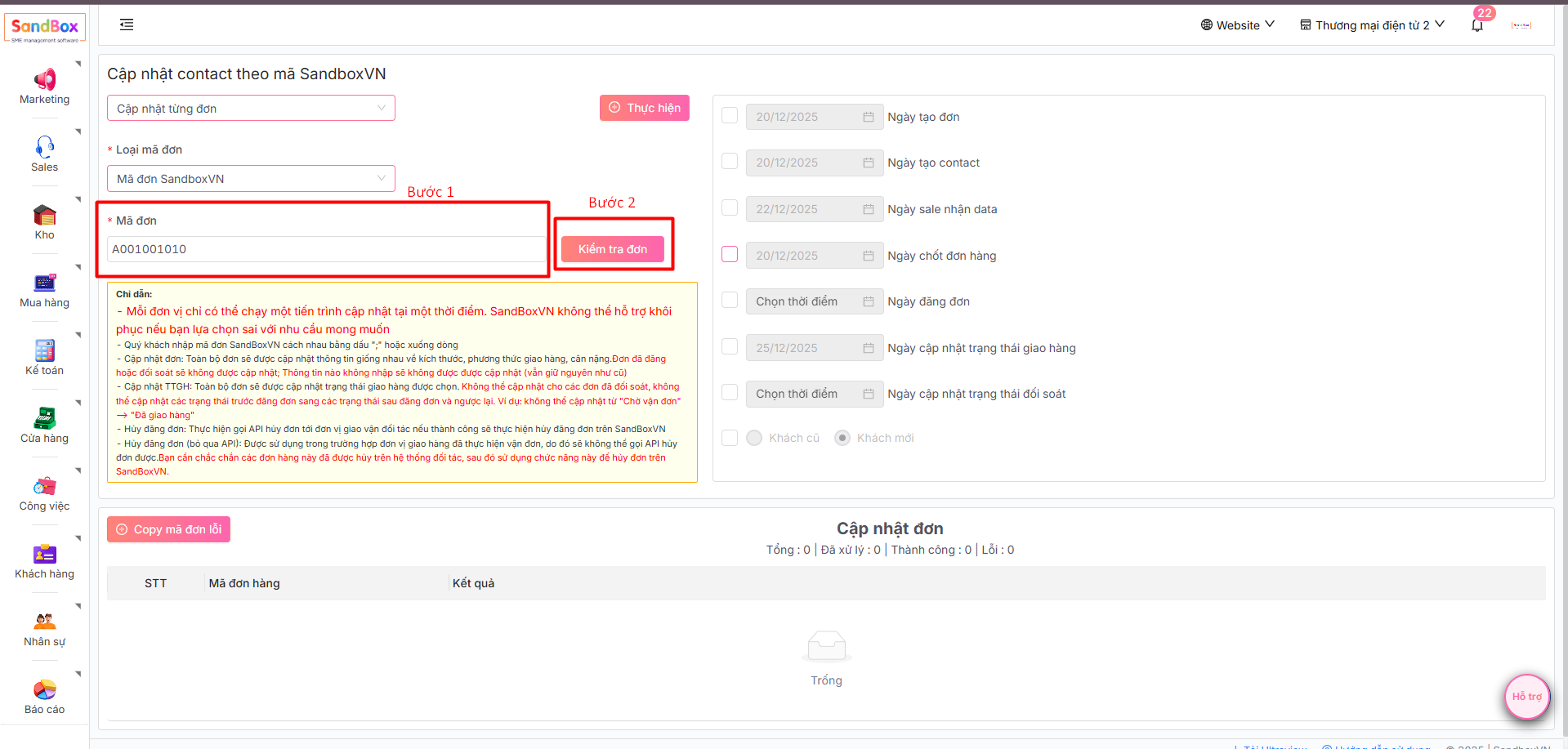
4. Tiếp theo, nhập **Mã đơn** cần chỉnh sửa ngày và chọn **Kiểm tra đơn** trước khi thay đổi
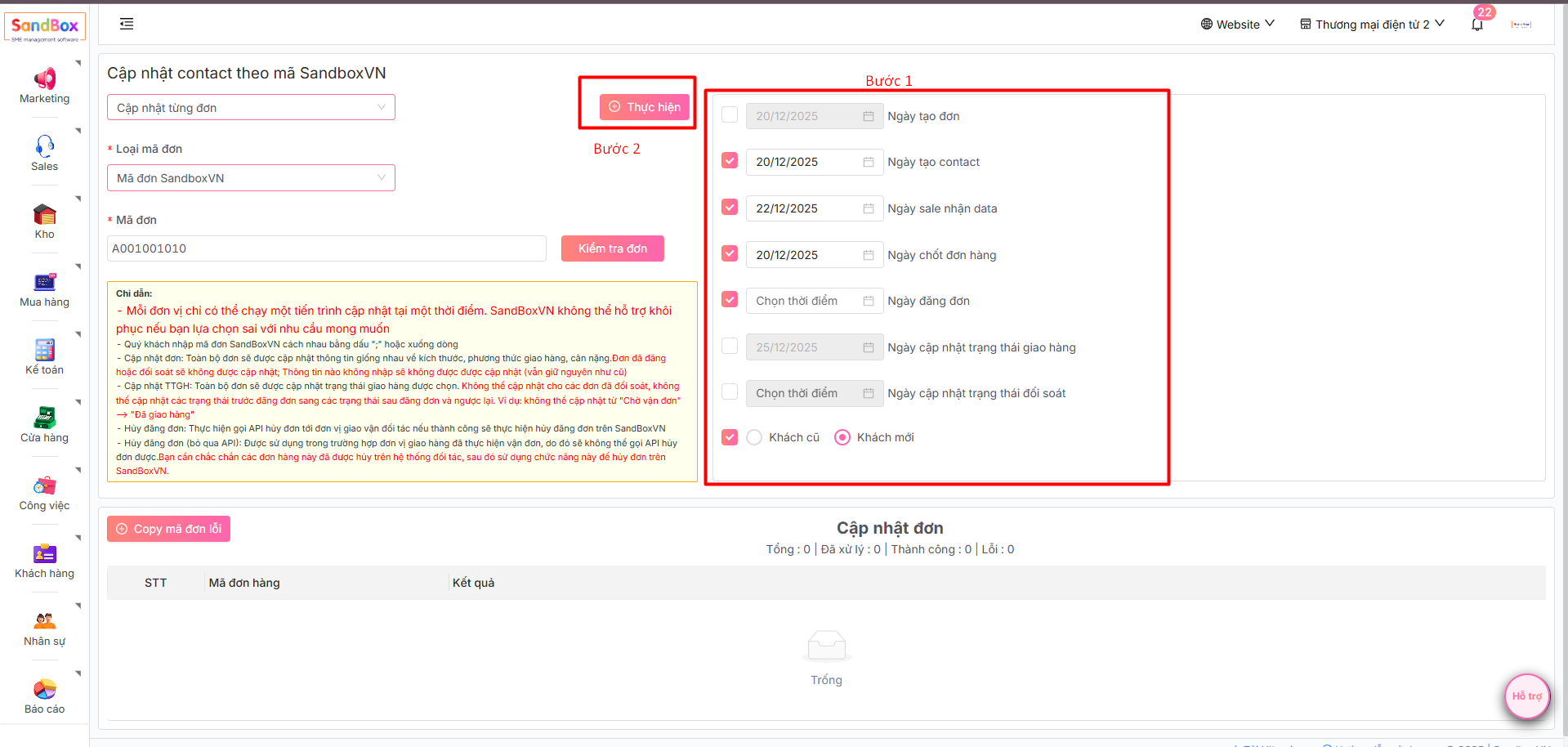
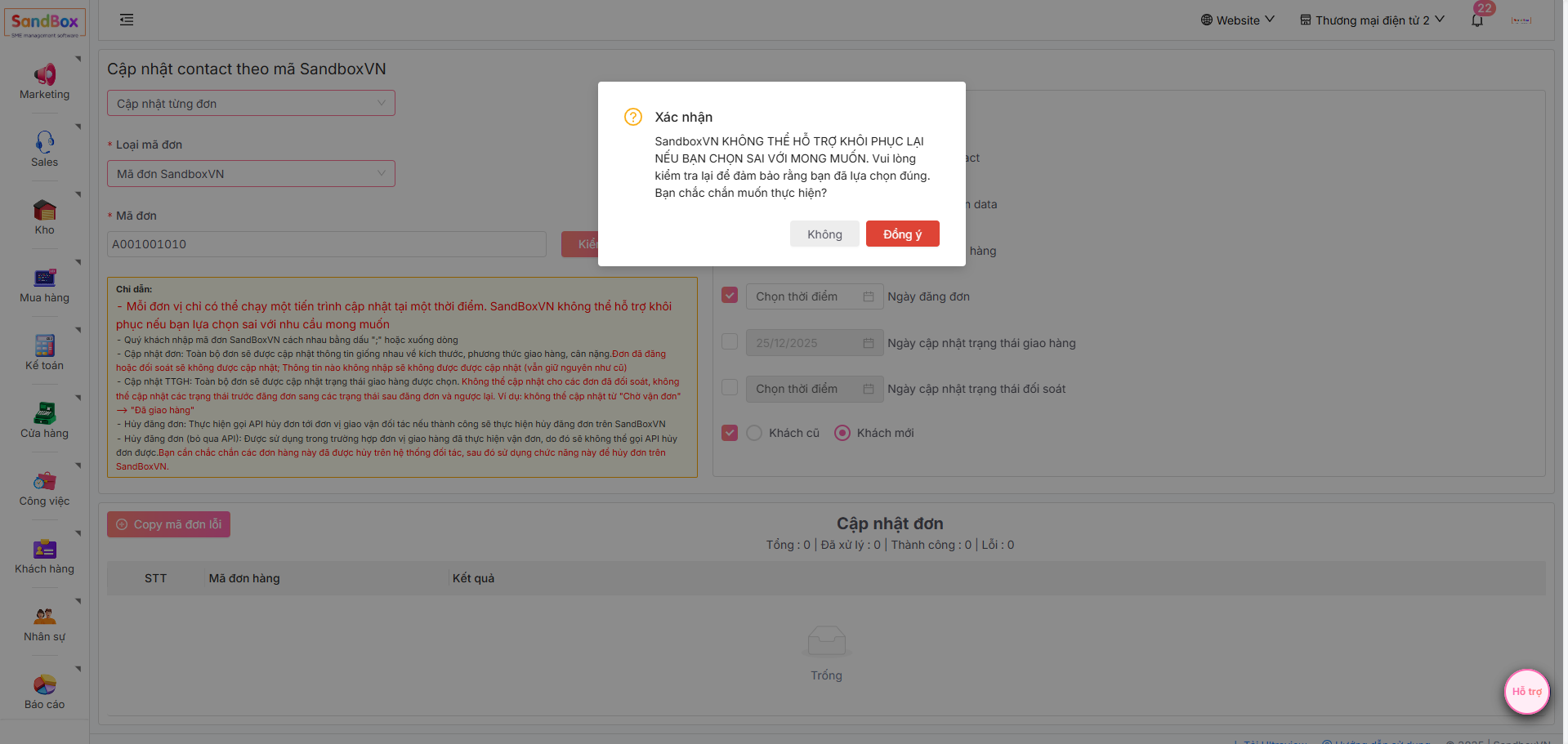
5. Sau khi kiểm tra đơn, tích chọn những loại ngày cần thay đổi cho đơn hàng và chỉnh sửa ngày mong muốn. Sau khi chỉnh sửa xong, bấm chọn **Thực hiện**
6. Hệ thống hiển thị popup để xác nhận thay đổi, chọn **Đồng ý** để xác nhận