> For the complete documentation index, see [llms.txt](https://docs.sandbox.com.vn/llms.txt). Markdown versions of documentation pages are available by appending `.md` to page URLs; this page is available as [Markdown](https://docs.sandbox.com.vn/2.-sale/2.1-telesales/cho-phep-phan-bo-don-cho-marketing.md).
# Cho phép phân bổ đơn cho marketing
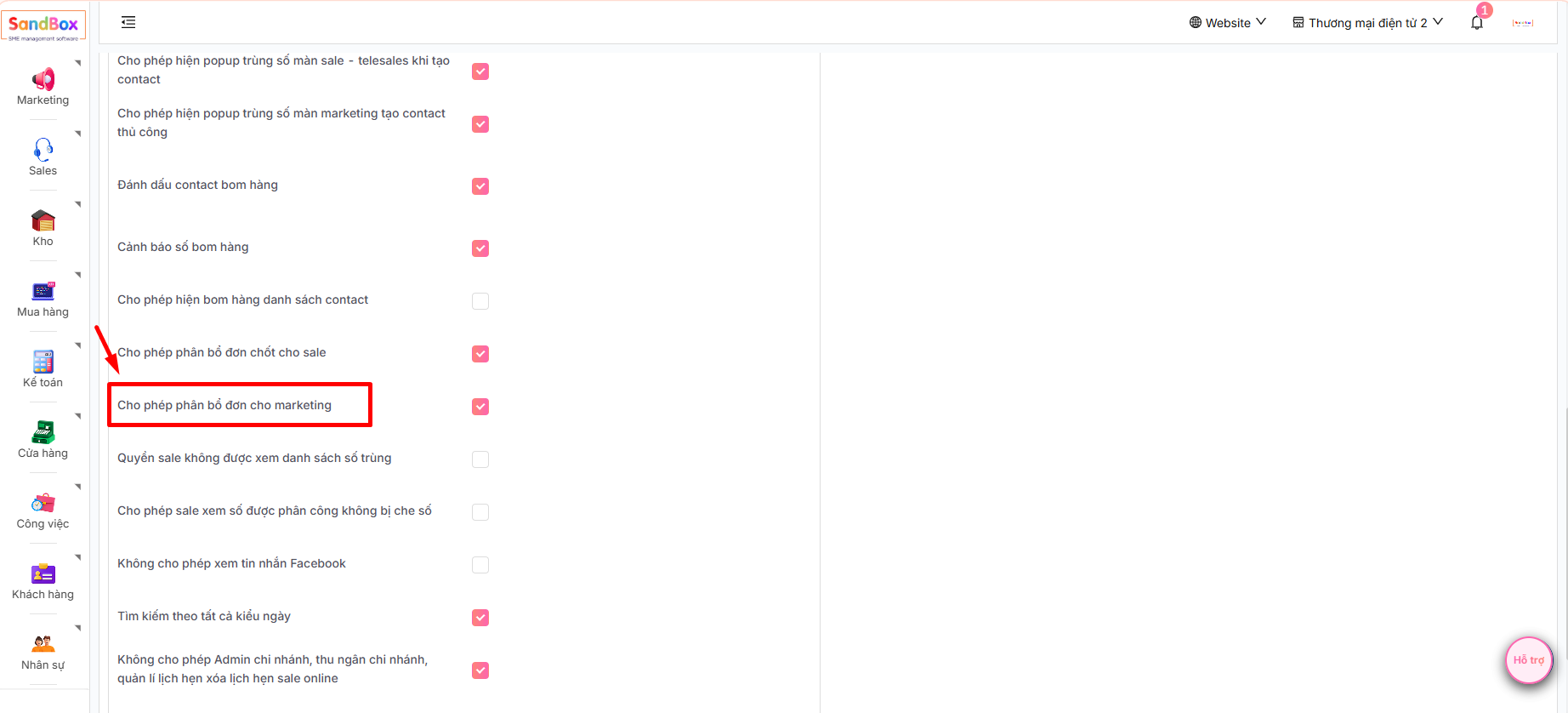
1. Trước hết Quản trị viên cần cấu hình **Cho phép phân bổ đơn cho marketing**:
Đăng nhập tài khoản admin -> chọn **Sales** -> chọn **Telesales** -> chọn **Cấu hình**
Chọn **Cấu hình contact** -> Tích chọn cấu hình "**Cho phép phân bổ đơn cho marketing**” và bấm **Lưu**
2. Tại màn **Danh sách Contact**, chọn  bản ghi contact đã chốt đơn muốn phân bổ sau đó chọn sẽ hiển thị menu 
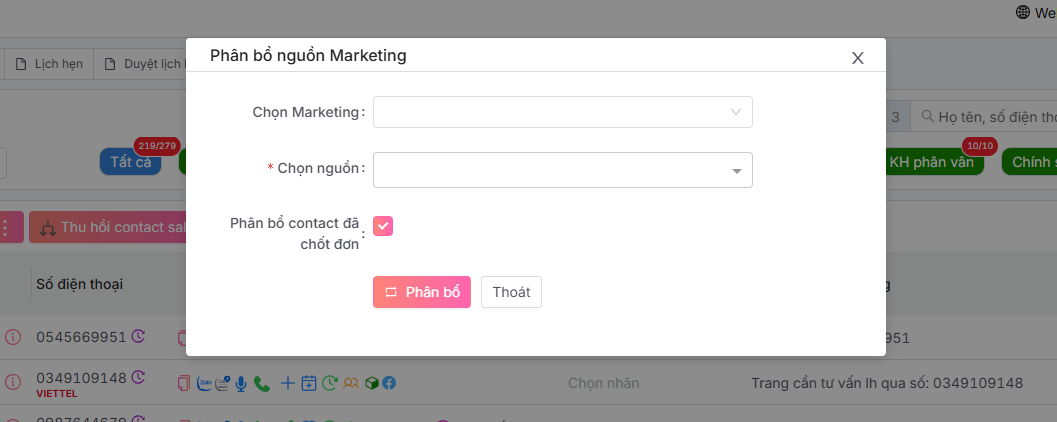
Chọn  hệ thống hiển thị ra form dưới đây:
* Chọn **Marketing** và chọn **nguồn dữ liệu** được phân bổ
* Tích chọn **phân bổ contact đã chốt đơn** và ấn **phân bổ**.