> For the complete documentation index, see [llms.txt](https://docs.sandbox.com.vn/llms.txt). Markdown versions of documentation pages are available by appending `.md` to page URLs; this page is available as [Markdown](https://docs.sandbox.com.vn/2.-sale/2.1-telesales/2.1.23-cau-hinh-contact-phan-quyen-quan-ly-lich-hen-cua-sale-online.md).
# 2.1.23 Cấu hình contact: Phân quyền quản lý lịch hẹn của sale online
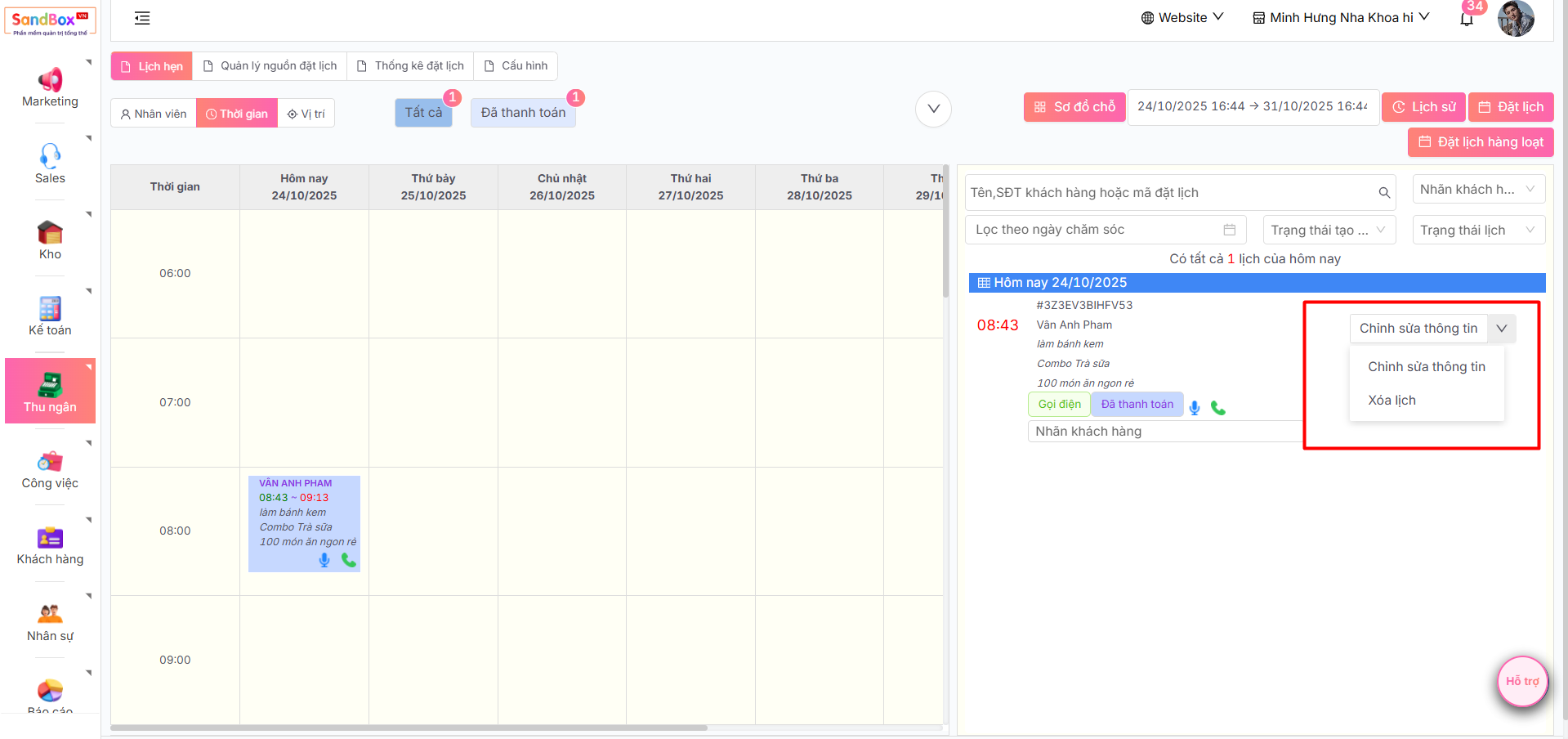
Tính năng này cho phép Admin chi nhánh hoặc Thu ngân chi nhánh có thể quản lý thông tin đặt lịch hẹn hoặc xóa lịch hẹn đã tạo của Sale Online.
1. Đăng nhập tài khoản **admin -> chọn sales -> chọn telesales -> chọn tab cấu hình.**
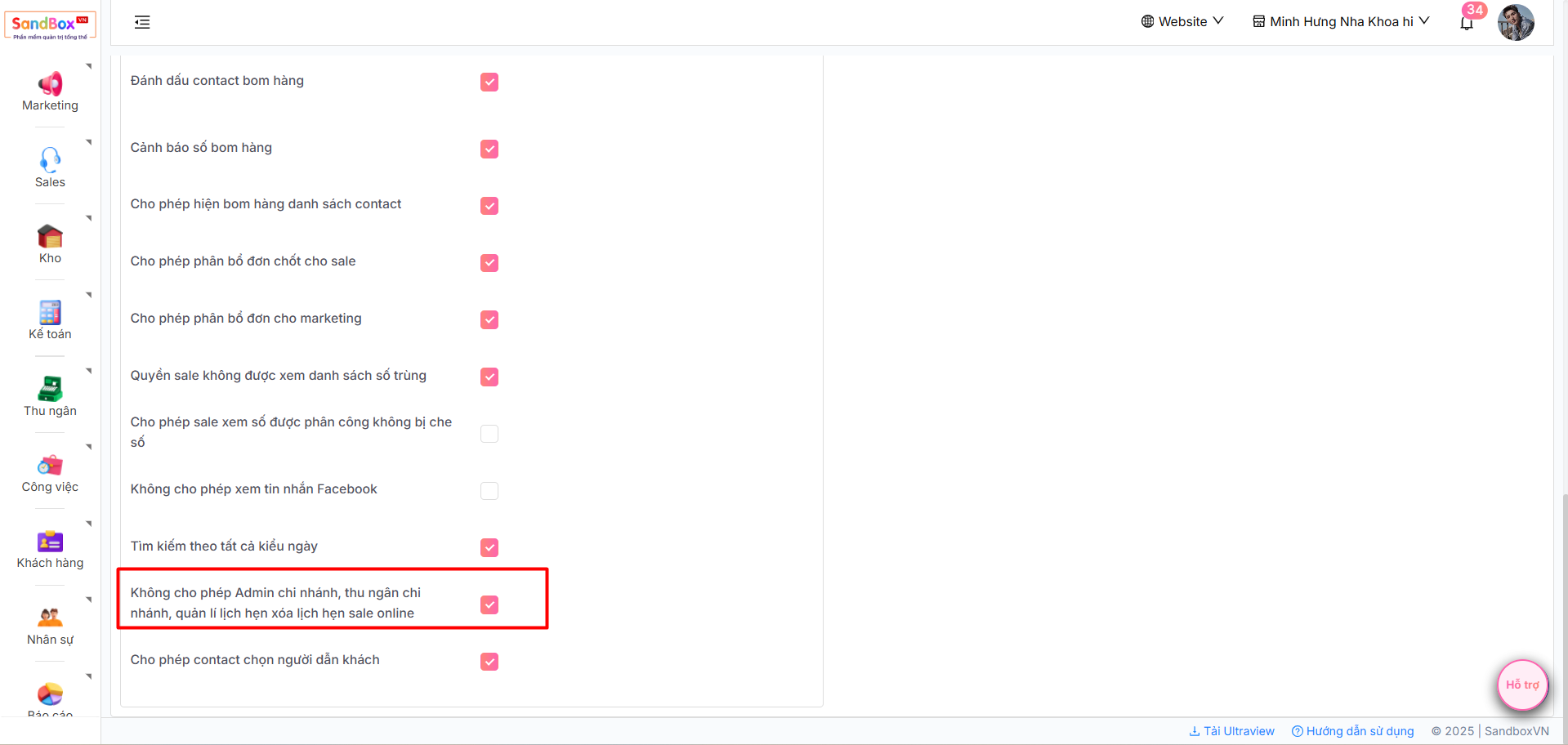
2. Chọn **Cấu hình contact**, tích hoặc không tích vào ô **Không cho phép Admin chi nhánh, thu ngân chi nhánh, quản lí lịch hẹn xóa lịch hẹn sale online**
3. Sau khi cài cấu hình, bạn có thể quản lý thông tin hoặc xóa lịch hẹn của sales online