# 1.1.7 Import danh sách Contact

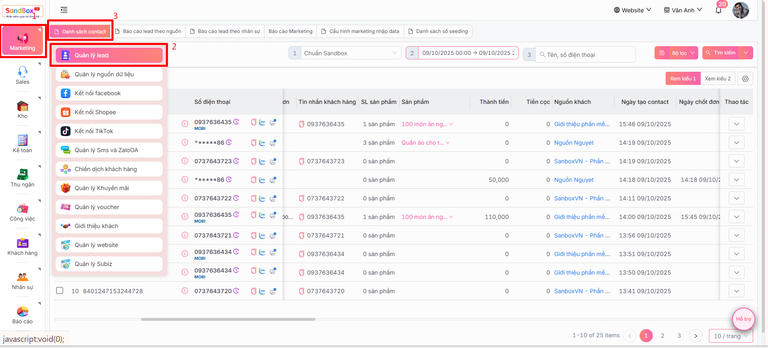
Ở thanh menu chọn **Marketing -> Quản lý lead -> Danh sách Contact**

<figure><img src="https://46536393-files.gitbook.io/~/files/v0/b/gitbook-x-prod.appspot.com/o/spaces%2FKnaMljuquxKOnflZEqLy%2Fuploads%2FajCltAXmu20YZYALuLCi%2Fimage.png?alt=media&#x26;token=0cb77af1-260a-4ee9-ad78-9d1917fc3a04" alt=""><figcaption></figcaption></figure>

Import danh sách contact bằng cách:

1. Anh/ chị nhấn vào nút ![](https://docs.sandbox.com.vn/~gitbook/image?url=https%3A%2F%2F46536393-files.gitbook.io%2F%7E%2Ffiles%2Fv0%2Fb%2Fgitbook-x-prod.appspot.com%2Fo%2Fspaces%252FKnaMljuquxKOnflZEqLy%252Fuploads%252FLhgDapTT68I1HSb46dNn%252Fimage.png%3Falt%3Dmedia%26token%3Dc48a57c8-8229-4da7-b9d1-5cc68fe0f249\&width=300\&dpr=4\&quality=100\&sign=55bfaee5\&sv=2) -> chọn **Import contact**

<figure><img src="https://46536393-files.gitbook.io/~/files/v0/b/gitbook-x-prod.appspot.com/o/spaces%2FKnaMljuquxKOnflZEqLy%2Fuploads%2Fggr4fZvtdU2wxmKJZrg0%2Fimage.png?alt=media&#x26;token=83cfceea-4460-4395-af0f-d8c29295fc6f" alt=""><figcaption></figcaption></figure>

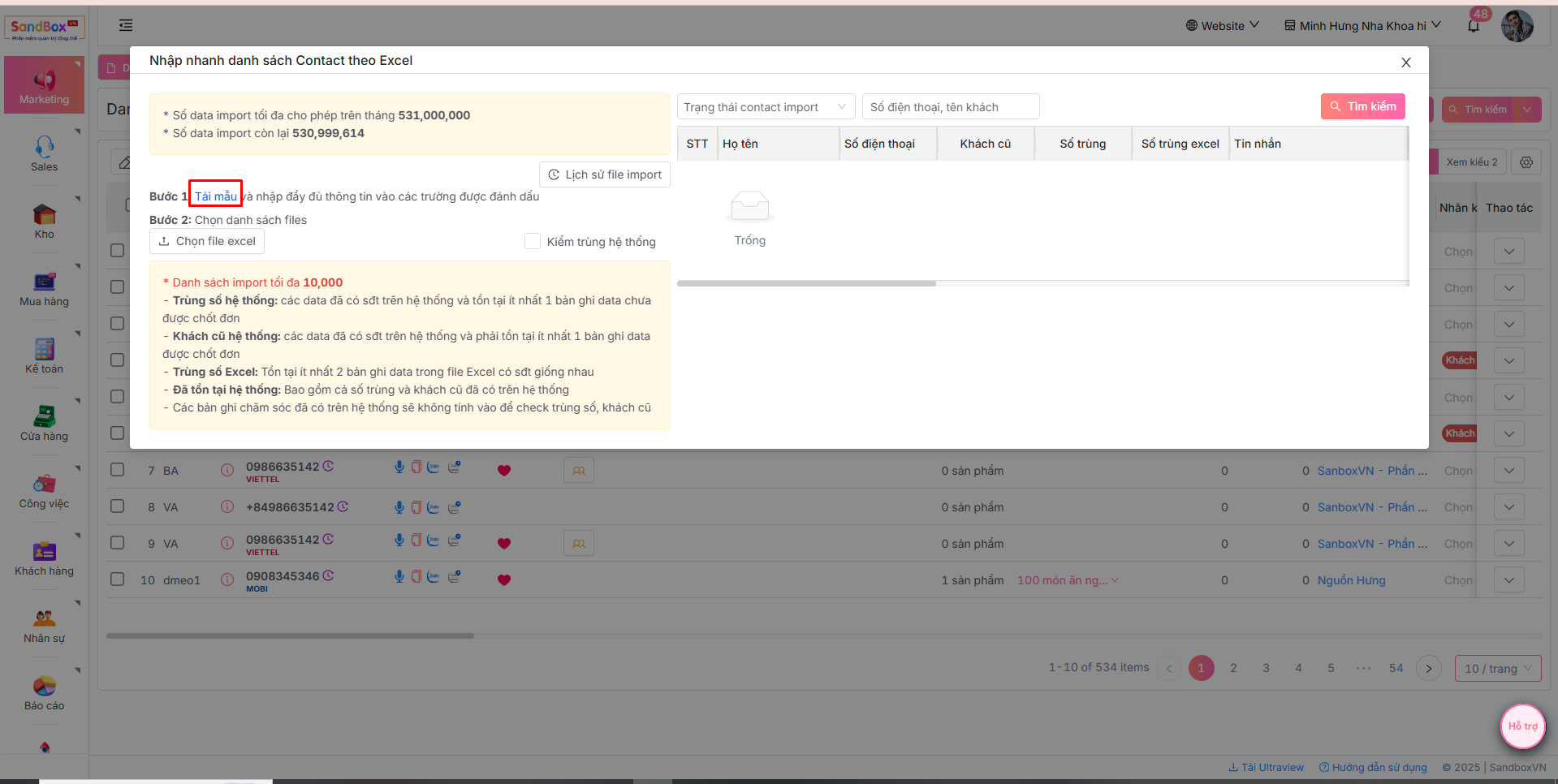
2. Tải file mẫu bằng cách chọn mục Tải mẫu:&#x20;

<figure><img src="https://46536393-files.gitbook.io/~/files/v0/b/gitbook-x-prod.appspot.com/o/spaces%2FKnaMljuquxKOnflZEqLy%2Fuploads%2FHEevsVuxLBFxHk1GZHmY%2Fimage.png?alt=media&#x26;token=63a732ab-8790-433f-b8e1-14fcb2fd799b" alt=""><figcaption></figcaption></figure>

3. Nhập danh sách contact theo các trường thông tin trong form mẫu: Type (chọn Contact), nguồn kết nối, tên khách hàng, sđt,tin nhắn khách hàng, ngày tạo,... -> **Lưu** file Excel.

   <br>

   <figure><img src="https://46536393-files.gitbook.io/~/files/v0/b/gitbook-x-prod.appspot.com/o/spaces%2FKnaMljuquxKOnflZEqLy%2Fuploads%2FtoB9naURlywglbCoFzHe%2Fimage.png?alt=media&#x26;token=928ae8c2-1cd8-4338-a228-2ef69d60c73c" alt=""><figcaption></figcaption></figure>
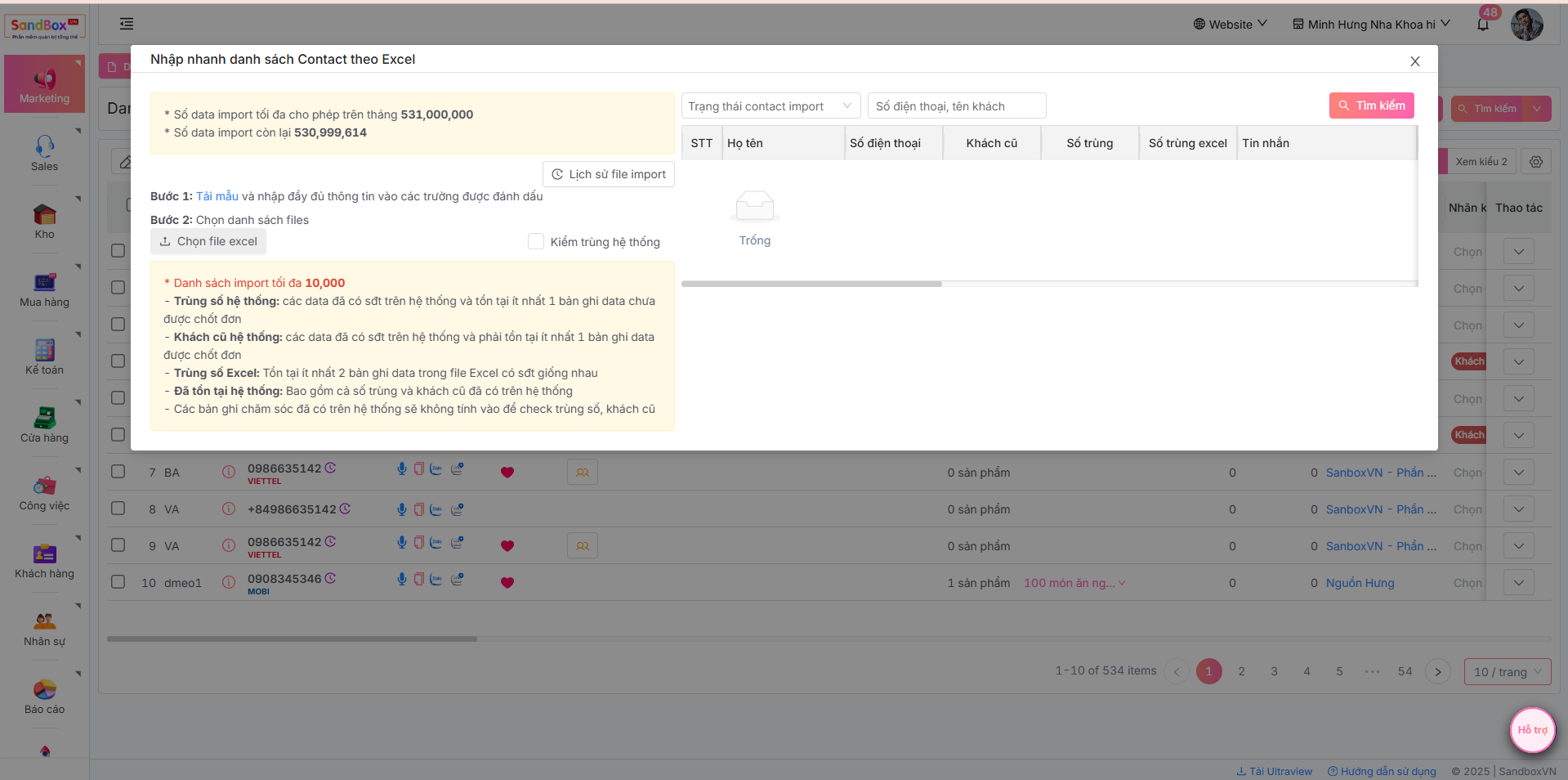
4. Trở lại màn hình Sandbox, nhấn "**Chọn file excel**" để chọn đăng tải file danh sách đơn vừa nhập liệu.<br>

   <figure><img src="https://46536393-files.gitbook.io/~/files/v0/b/gitbook-x-prod.appspot.com/o/spaces%2FKnaMljuquxKOnflZEqLy%2Fuploads%2FmFTU7GTsYfab5BEVyCRe%2Fimage.png?alt=media&#x26;token=0e8d909c-b07f-4070-811e-7f1446a72011" alt=""><figcaption></figcaption></figure>
5. Nhấn Bắt đầu xử lý và Hoàn tất Import để hoàn thành
<figure><img src="https://46536393-files.gitbook.io/~/files/v0/b/gitbook-x-prod.appspot.com/o/spaces%2FKnaMljuquxKOnflZEqLy%2Fuploads%2F7je3mgeMlr4lBP8Auk2l%2Fimage.png?alt=media&#x26;token=f73573bb-0a32-4557-9bd6-4eca274da49b" alt=""><figcaption></figcaption></figure>